Answer:
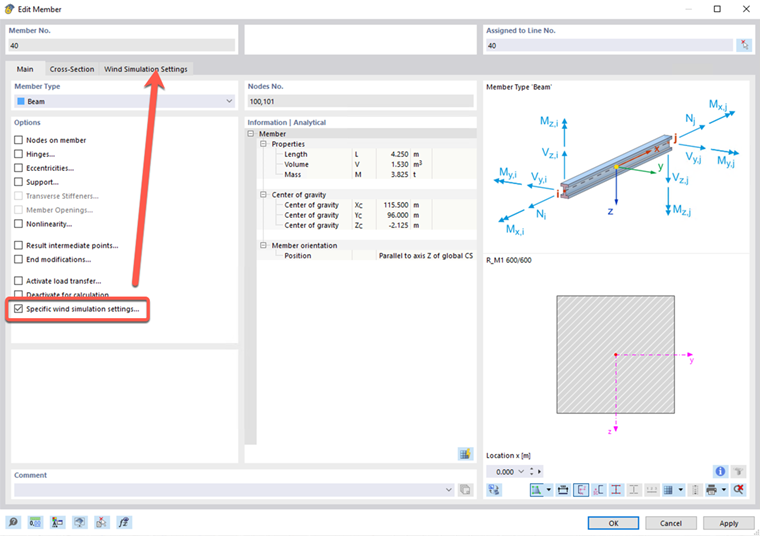
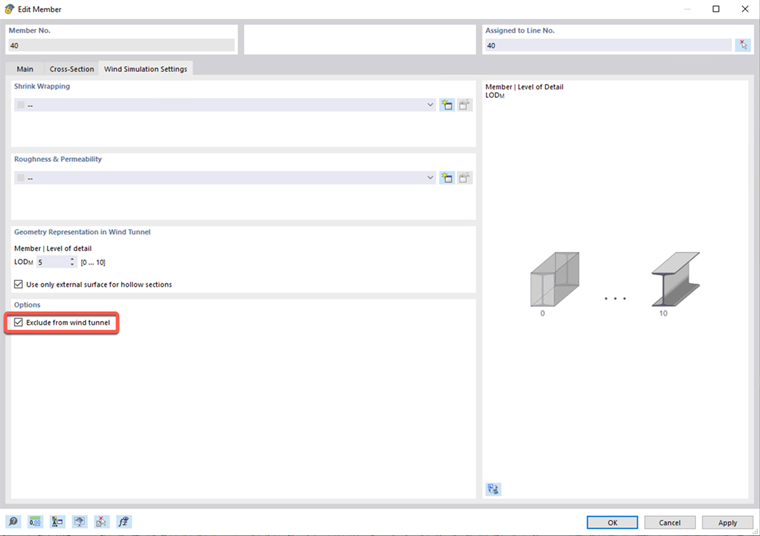
To exclude parts of the model from the wind simulation, proceed as follows:
- Select the members or surfaces to be excluded.
- Activate the “Specific Wind Simulation Settings” check box.
- Select the “Exclude from Wind Tunnel” option.