


Answer:
The “Display” navigator is used to control the display of model objects, guide objects, results, numbering, and so on. Not all object types are always used in the models, so the number of entries in the navigator can be reduced or adjusted dynamically. This is controlled via the program options:
Menu "Options -> Program options -> Miscellaneous -> ”Dynamic behavior of ‘Display’ navigator”
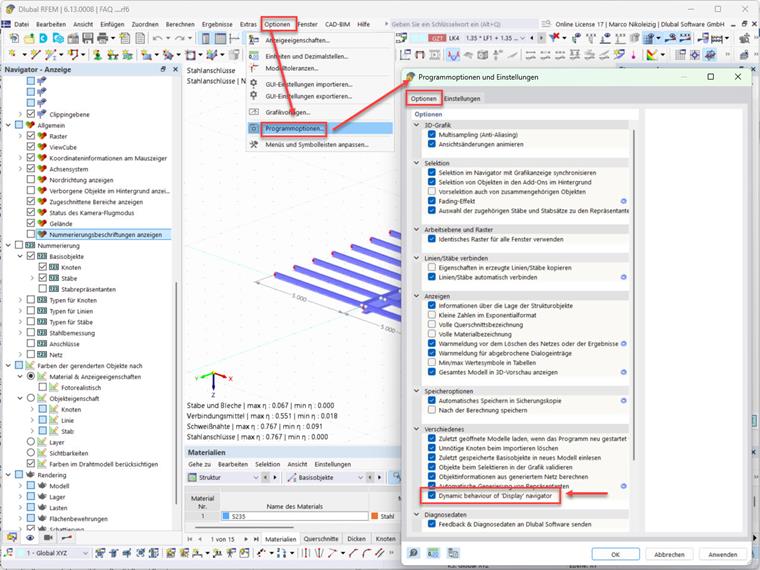
After deactivating this option, the complete number of entries is available in the navigator.