Answer:
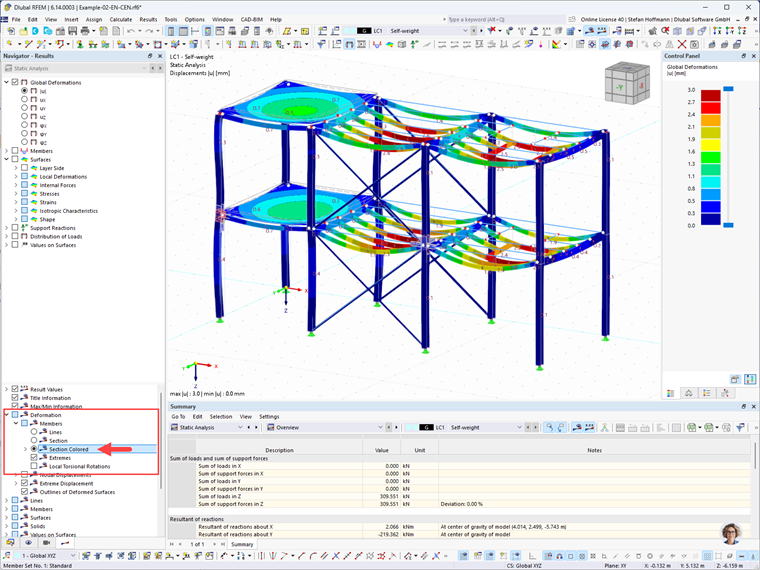
You can find this setting in the Navigator—results in the lower section under “Deformation” → “Members” → “Section Colored”.
Sign up for the Dlubal Extranet to get most of the software and have exclusive access to your personal data.
Sign up for the Dlubal Extranet to get most of the software and have exclusive access to your personal data.
Sign up for the Dlubal Extranet to get most of the software and have exclusive access to your personal data.
How can I change the display of member deformation to colored cross-sections?
You can find this setting in the Navigator—results in the lower section under “Deformation” → “Members” → “Section Colored”.
Stefan provides support in Customer Support for technical inquiries. Even when dealing with more complex issues, he takes a structured approach and ensures that the results are easy to understand.