Answer:
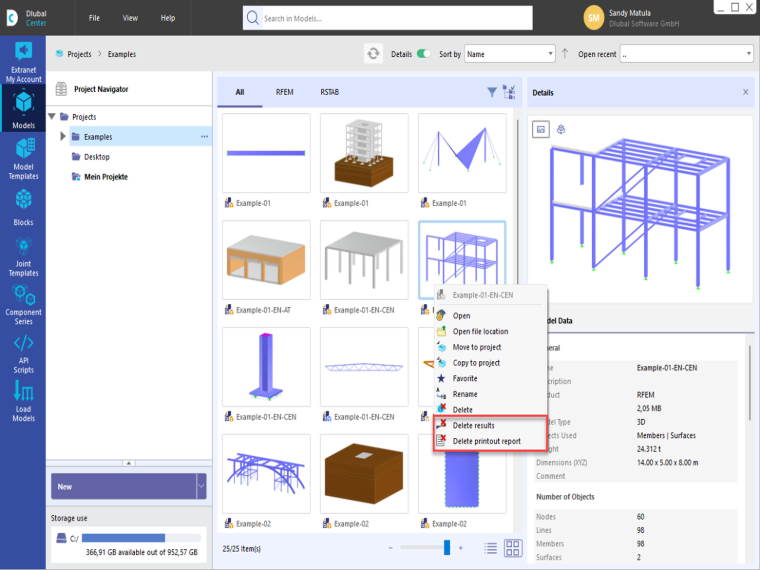
In Dlubal Center, results and printout reports can be deleted directly without opening the relevant model.
To do this, select the desired model in Dlubal Center and open the shortcut menu by right-clicking. The commands for deleting the results and the printout reports are available there.
These features are particularly helpful when you need to reduce the file size.