Answer:
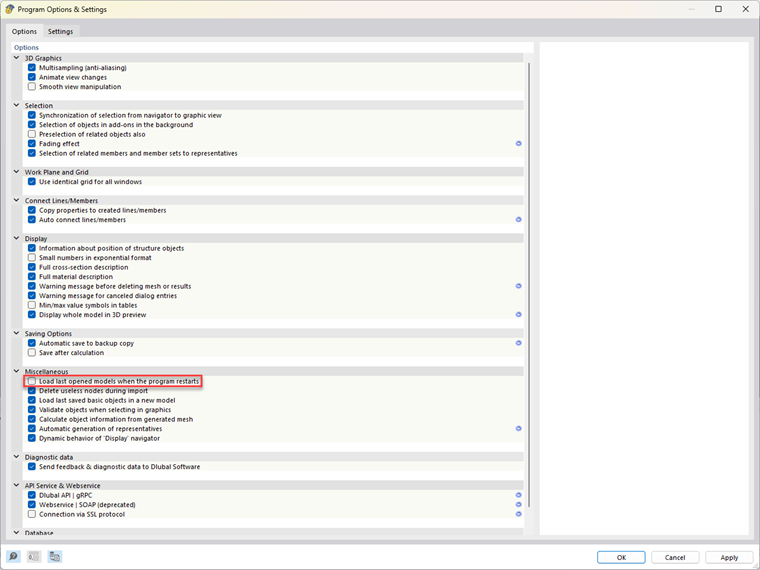
In the program options, you can specify that the most recently opened models should not be loaded automatically when RFEM 6 starts. In this case, only the user interface opens when the program starts, without loading an RFEM file.
To do this, open the program options and disable the setting for automatically loading the most recently opened models.