Answer:
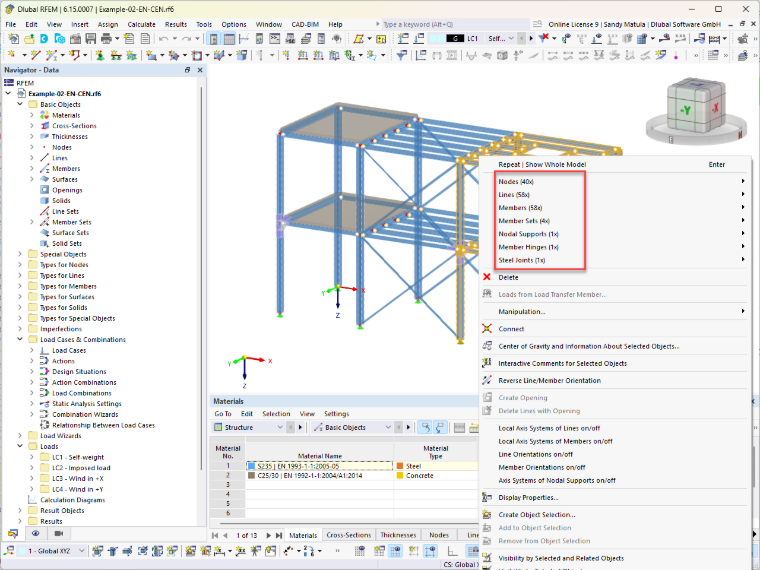
Select the desired objects and right-click the selected element to open the shortcut menu. The menu shows the total number of the selected elements.
Sign up for the Dlubal Extranet to get most of the software and have exclusive access to your personal data.
Sign up for the Dlubal Extranet to get most of the software and have exclusive access to your personal data.
Sign up for the Dlubal Extranet to get most of the software and have exclusive access to your personal data.
How can I display the number of selected objects in RFEM 6?
Select the desired objects and right-click the selected element to open the shortcut menu. The menu shows the total number of the selected elements.
Sandy provides support in Customer Support for technical issues related to the software. She reliably familiarizes herself with new topics and helps develop clearly structured solutions.