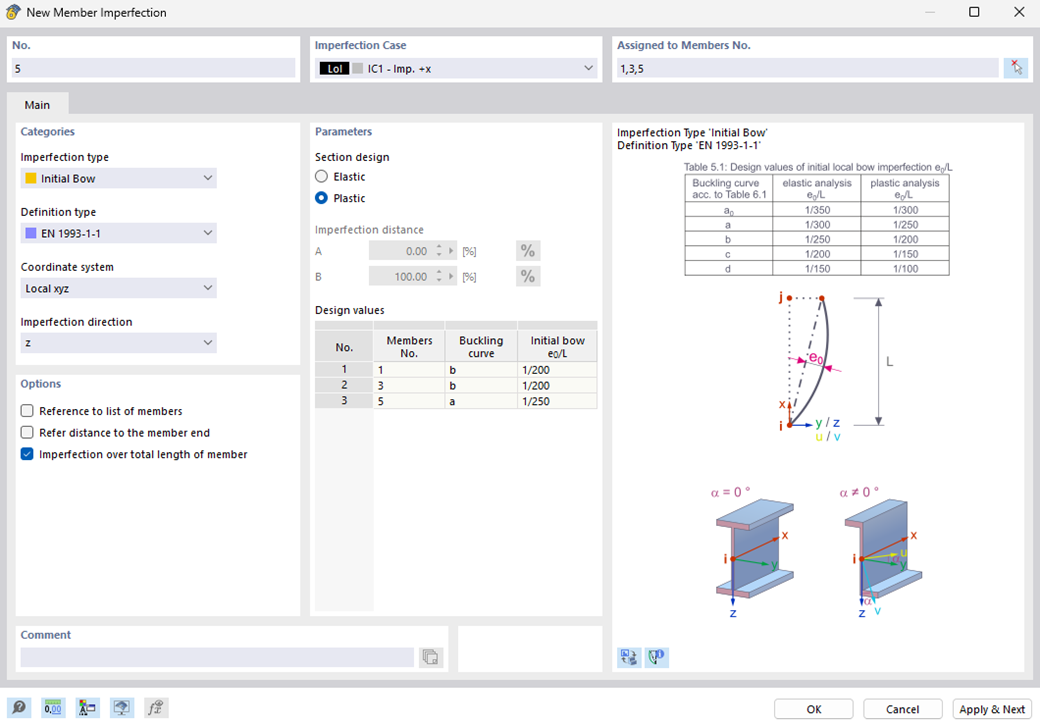
For imperfections with a standard-based definition type (for example, EN 1993-1-1), details like the buckling curve and initial bow are displayed in both the “Member Imperfections” dialog box and the printout report. In the “Member Imperfections” dialog box, this information is displayed in read-only mode for all affected members. If the imperfection parameters differ, the output is displayed separately for each member; otherwise, the members are displayed collectively.
The “Member Imperfection – Design Values” option is available in the printout report. If you activate this option, the corresponding imperfection data is displayed in the table of the same name, with the data displayed either grouped or separately, depending on whether the parameters are identical.
The initial bows of standard-based member imperfections are displayed as numerical values (for example, e₀ = 1/250).