


Answer:
In this case, the following procedure is recommended:
- Open the Project Manager and search for the project you want to add the file to in the Project Navigator on the left.
- Right-click that project and select MS Explorer.
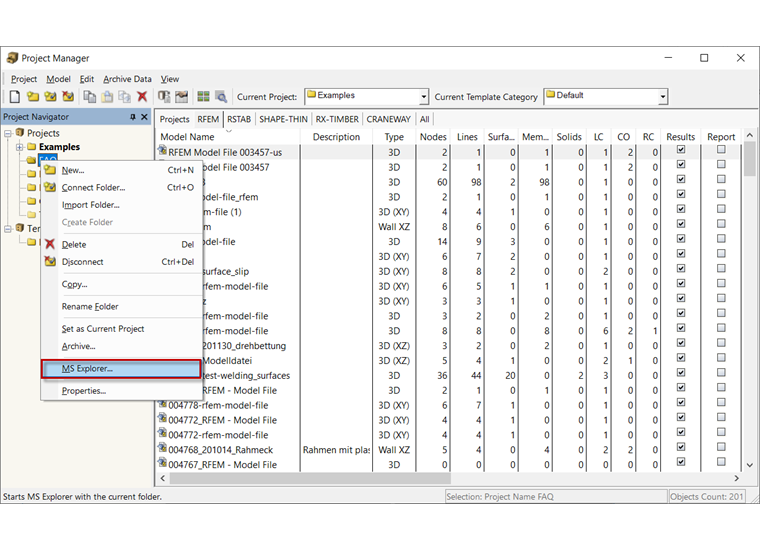
- Drag and drop the desired file and then close Windows Explorer.
- The file is now assigned to the desired project.