


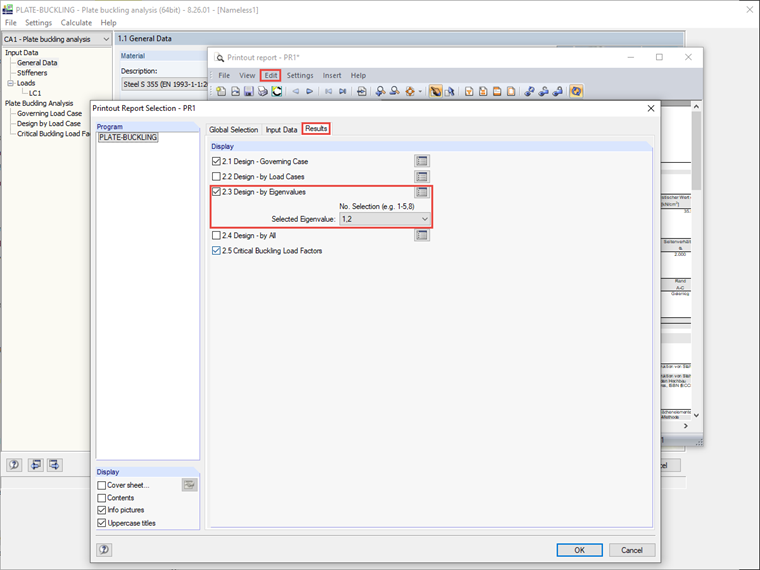
You simply define the respective numbers of the buckling modes in the selection field of the "Design - by Eigenvalues" option. Thus, it is not necessary to always print out all buckling analyses for all eigenvalues.
Sign up for the Dlubal Extranet to get most of the software and have exclusive access to your personal data.
Sign up for the Dlubal Extranet to get most of the software and have exclusive access to your personal data.
Sign up for the Dlubal Extranet to get most of the software and have exclusive access to your personal data.
You simply define the respective numbers of the buckling modes in the selection field of the "Design - by Eigenvalues" option. Thus, it is not necessary to always print out all buckling analyses for all eigenvalues.