


Creating your own programs by means of textual programming requires in-depth knowledge and a great ability to abstract. Understandably, only very few engineering offices face this challenge. For this reason, there are additional software solutions providing the user with a visual development environment.
The environment offers selected elements of the programming language in the form of graphical components. The user has to put them in a logical order so that his or her self-created tool can solve the task. Rhinoceros software, in connection with the implemented visual programming environment of Grasshopper, offers precisely this functionality. Some possibilities, as well as the interaction with RFEM, are presented in more detail below.
Rhino and Grasshopper
Grasshopper is used mainly to create generative algorithms. This way, it is possible to create complex geometries much more easily than in the conventional way (manual modeling). The algorithm's current state is displayed in the Rhino graphics window. Thus, any errors are directly visible.
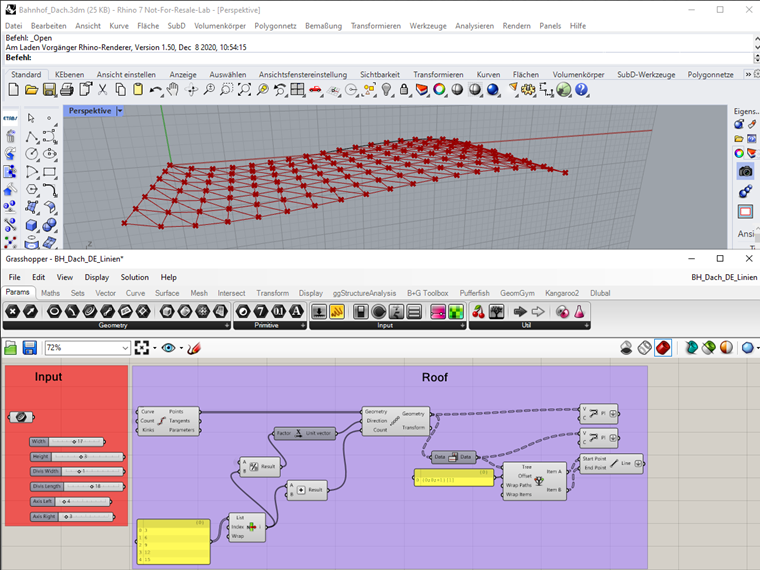
By including parameters, the model can be modified as desired so that several variants can be created for later analysis in just a few steps.
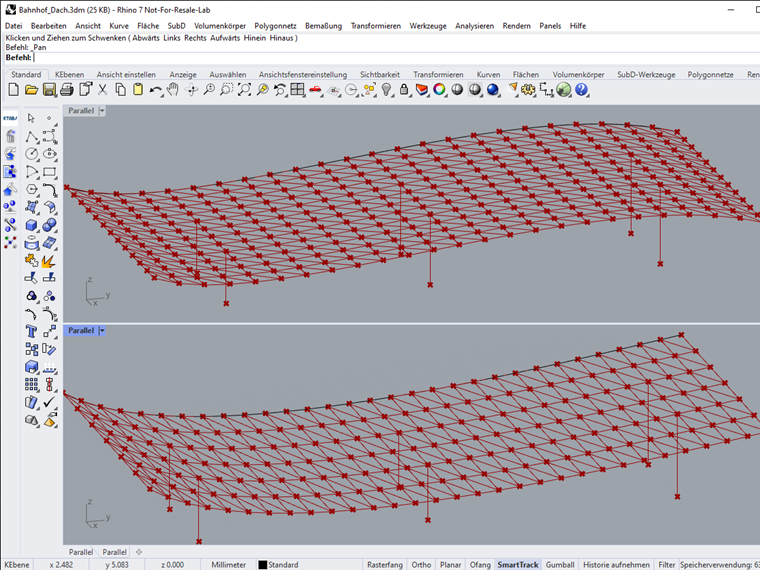
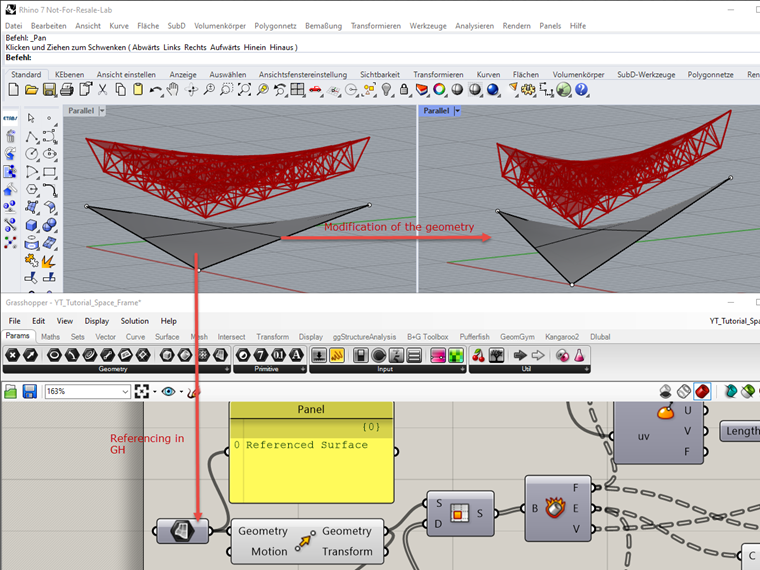
However, Rhino is not just a viewer. Due to the large number of import formats, existing geometries can be imported and referenced in Grasshopper. Thus, adjustments in geometry are directly taken into account.
Interaction Between Grasshopper and Dlubal
Grasshopper can be extended by a variety of plug-ins. These add-on modules range from support for modeling and structure analysis to data export to third-party software. Thus, they can interactively play a part in the Grasshopper world. There are also plug-ins for controlling Dlubal programs. They can either be downloaded here or are activated automatically when installing RFEM and RSTAB:
The latter refers to the Dlubal plug-in. This allows you to add structural analysis-specific information to lines and surfaces of Grasshopper and export them to RFEM and RSTAB. The plug-in, in its current state of development, is suitable for users who want to gain initial experience in interaction with Grasshopper—especially since it can be used despite using the COM technology without the corresponding license.
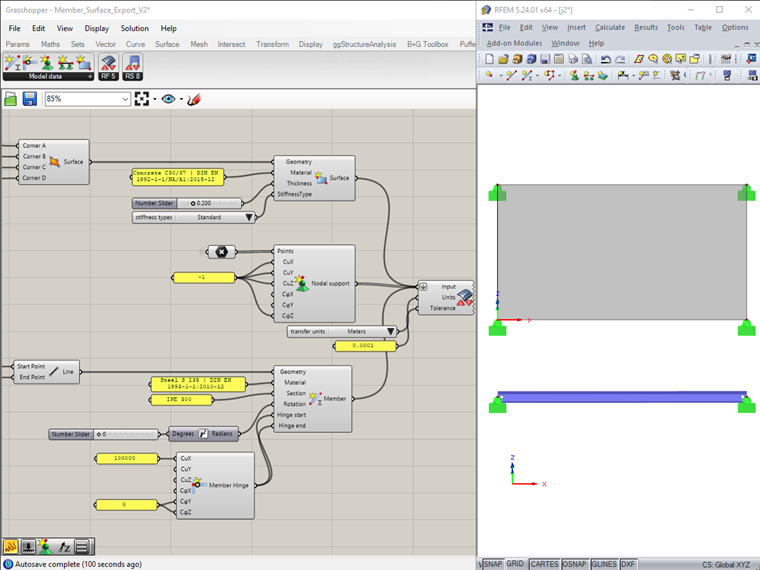
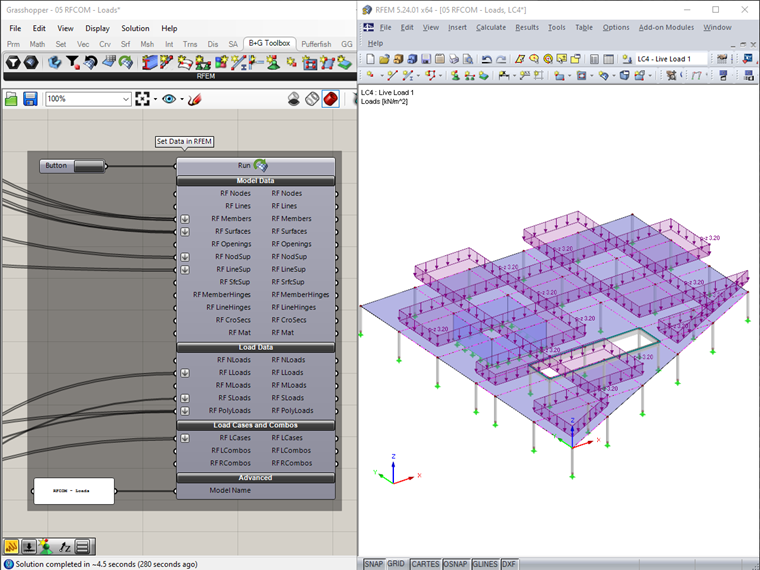
Another Grasshopper add-on was developed by Diego Apellániz in collaboration with Bollinger+Grohmann. The "Parametric FEM Toolbox" allows bidirectional data exchange between RFEM and Grasshopper. This allows you to export complete models, including loading, to RFEM for calculation. The results can be imported into Grasshopper subsequently.
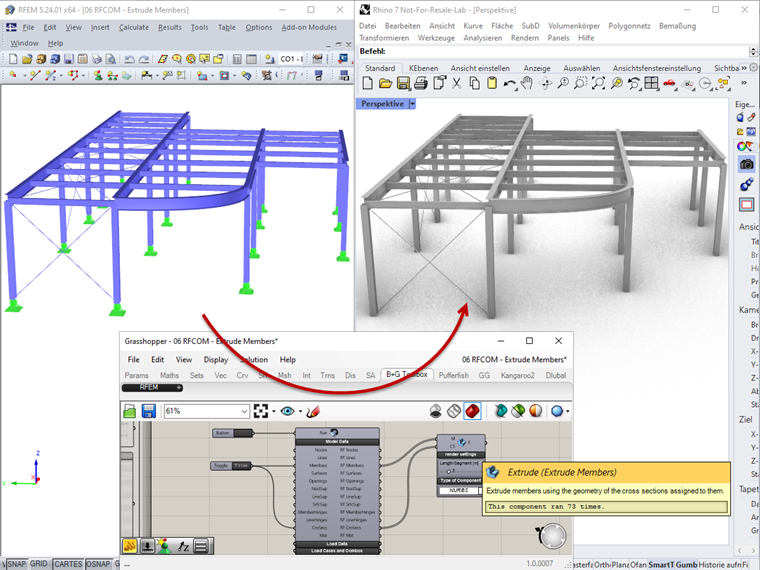
RFEM models can be imported as well, partially or completely, into Grasshopper. In the following graphic, a member structure from RFEM is imported into Grasshopper and then rendered in Rhino.
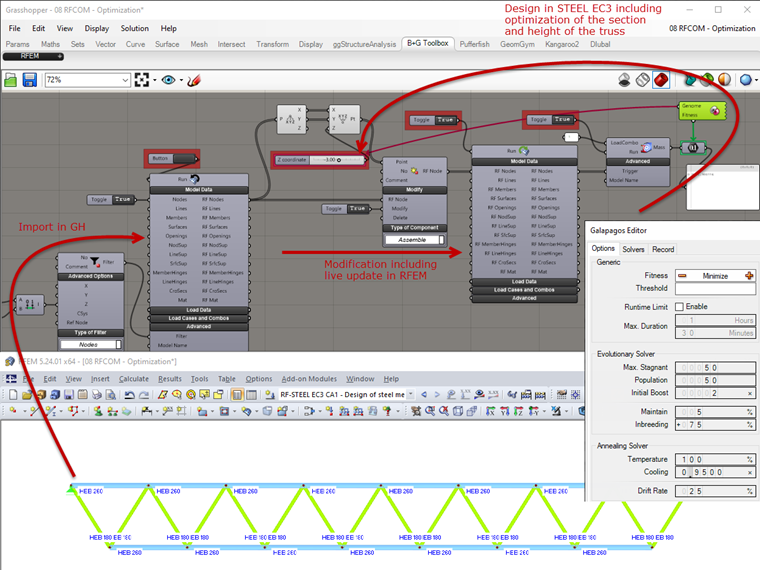
The import can also be used for the parametrization of RFEM structures. The components have a Modify function for this. An existing RFEM model can be modified by changing the Grasshopper parameters via a downstream export component. If you combine these possibilities additionally with a genetic solver (Galapagos), complex optimizations can be automated. The following image shows an excerpt of an algorithm that independently modifies the height as well as the cross-sections of the truss with the objective of weight optimization—while maintaining the required designs.
For more information about this plug-in, take a look at the corresponding example files or the webinar recording published on YouTube.
Conclusion
With Grasshopper, you can create your own algorithms by setting and combining building blocks (components) that are specially tailored to the task. Programming knowledge, although certainly an advantage, is not necessary. The strengths lie in its model generation, as well as in structure optimization in connection with design. A variety of additional plug-ins facilitate and expand the possibilities. Therefore, Dlubal Software itself has the goal of extending and optimizing its own plug-in. The "Parametric FEM Toolbox" in particular is a powerful add-on available for users of the current program versions.