


Question:
How can I analyze support reactions on line supports of surfaces?
Are the result sections helpful?
Answer:
In order to support surface models, line supports are used, among other things. The support reactions are analyzed, for example, to check the modeling or to determine the resulting support reactions in order to transfer them to other structures. If the support conditions are defined with nonlinearities or the support line is curved, it is helpful to perform the analysis using the software.
This analysis on beam structures is simple. In the single-span beam with a cantilever shown below, there are shear forces to the left and right of the nodal support, the sum of which results in the opposite support reaction. The sum of the shear forces and support reaction is zero.
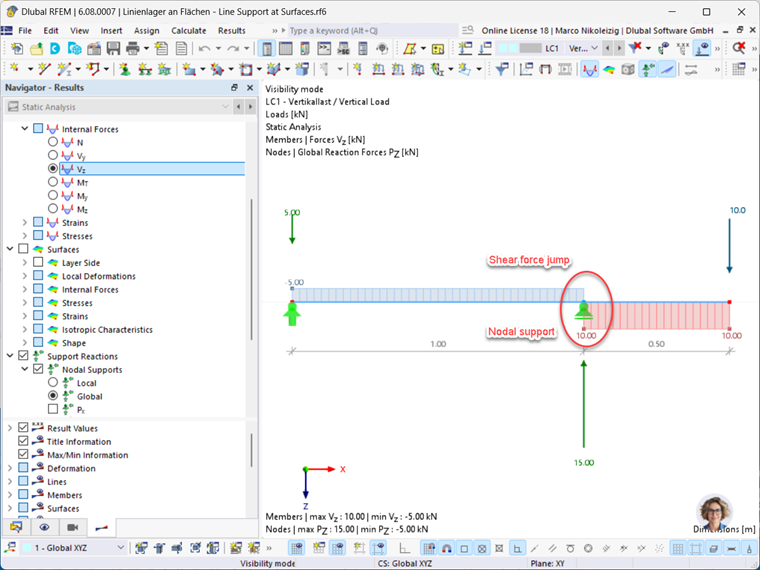
Notice the jump in shear forces and in the nodal support. Such a shear force distribution is immediately obvious for beam structures.
It is not always possible to represent such a distribution using finite elements on surface structures. Numerical inaccuracies then occur near the nodal or line support.
First, there is the option to analyze support reactions. For this, the structural model from above is used, where the pipe cross‑section has been decomposed into surfaces and the support on the cantilever was modeled as a nonlinear line support.
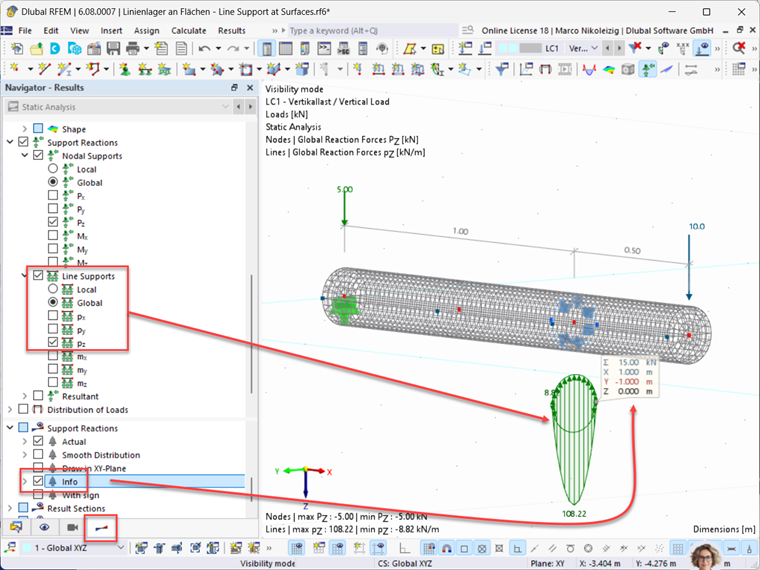
Display via Info Box:
The support reaction along the support line is enabled by displaying the global length-related support forces p-z values. The sum of the length-related support forces is displayed in the info box and represents the resulting support reaction.
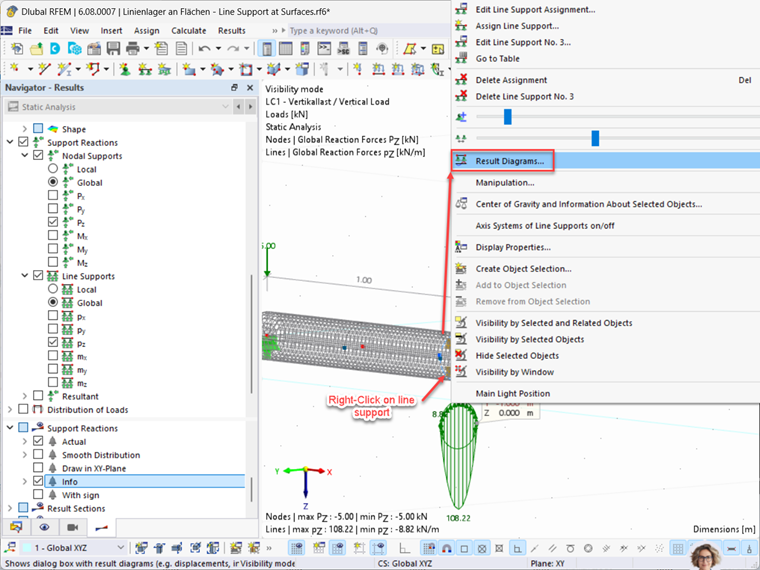
Display via Result Diagrams:
The support reaction along the support line is enabled by displaying the result diagrams. The sum of the length-related support forces can be displayed by activating the "Constant Smoothing" button.
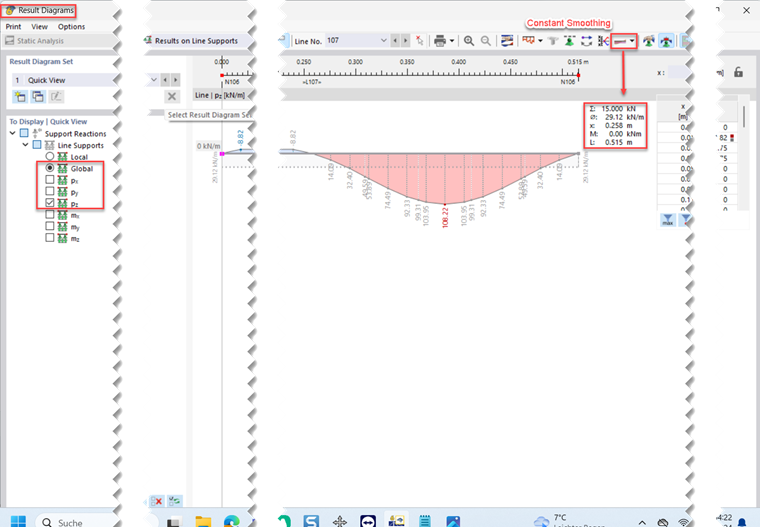
Both options shown above result in the expected support reaction of F-z = 15 kN.
In the following text, we will try to determine the resulting support reaction using result sections. For this purpose, three result sections will be generated on the surface model of the member described above. Sections 101 and 103 are located to the left and right of the support line, while section 102 is placed directly on the support line. The display of the resulting load distribution P-z was activated at the result sections.
As a result, see Image 05:
You can see that the sections to the right and left of the support line show the expected values for the shear forces of V-z = 5 kN and V-z = 10 kN. Section 102 directly on the support line has an unexpected value of V-z = 2.5 kN.

If you move section 102 a few millimeters to the left or right (that is, next to the support line), the resultant value would be either 5 kN or 10 kN. Section 102 directly on the support line is located directly on the location of the shear force jump. Therefore, the value of the shear force is indifferent at this location; it is actually not possible to display a value. Nevertheless, a value is displayed; why?
Please refer to the information on numerical inaccuracies at the beginning of this article. For clarification, a result beam is modeled along the axis of the surface model, which projects the surface results of the pipe cross-section onto itself.
Result:
At the location of the line support where the shear force jump occurs on the member supporting structure, a shear force line with a finite slope is determined, but no shear force jump. Furthermore, the shear force line does not intersect the member axis directly on the support line, but next to it; see Image 6.
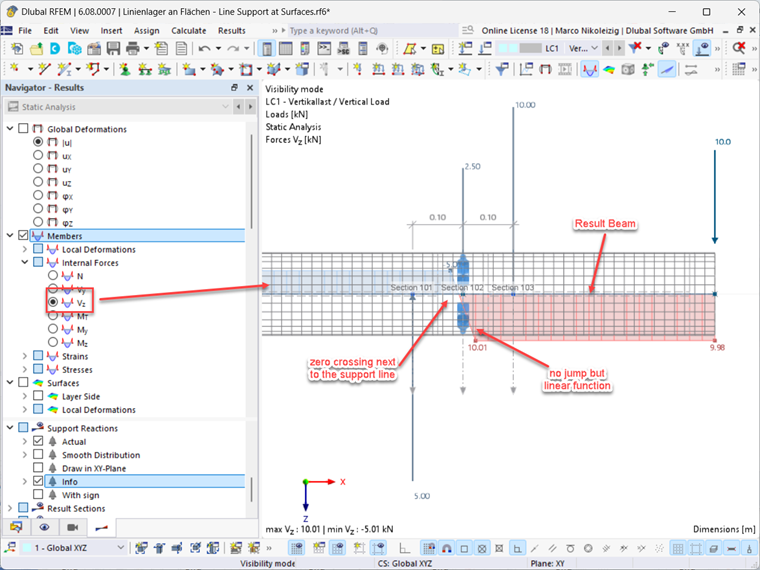
The result section directly in the line support is therefore completely unsuitable for the analysis of the resulting support reactions. Support reactions are not taken into account, and this section provides nonsensical results with regard to the internal forces.