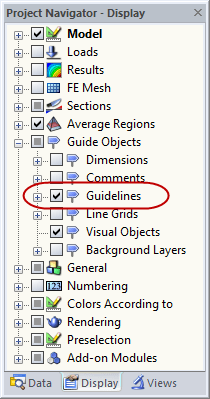
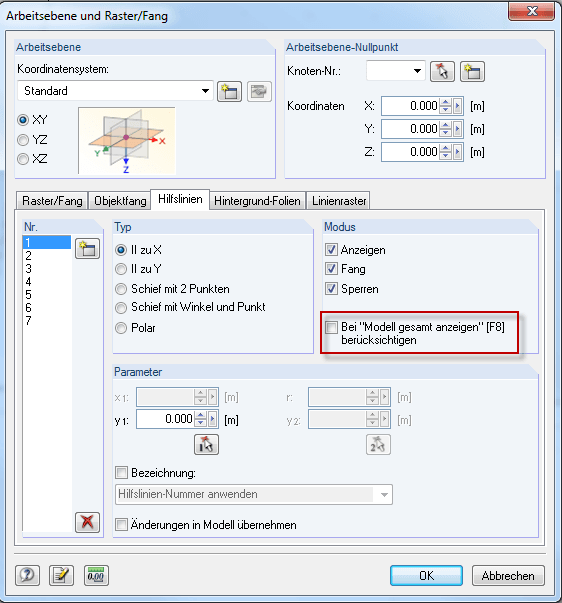
You can control the display of guidelines in Project Navigator - Display (see Image 01). Furthermore, you can define whether to display only the model, or some or all existing guidelines in the overall view of the model. If the guidelines protrude far beyond the model, the entire view can be limited to the model (see Image 02).
Displaying Guidelines
How can I quickly hide and display the guidelines in my model?
Answer:
Author
Sandy provides support in Customer Support for technical issues related to the software. She reliably familiarizes herself with new topics and helps develop clearly structured solutions.
References
- Dlubal Software. (2018). Manual RFEM. Tiefenbach.
- Dlubal Software. (2016). Manual RSTAB. Tiefenbach: Dlubal Software.
;