Answer:
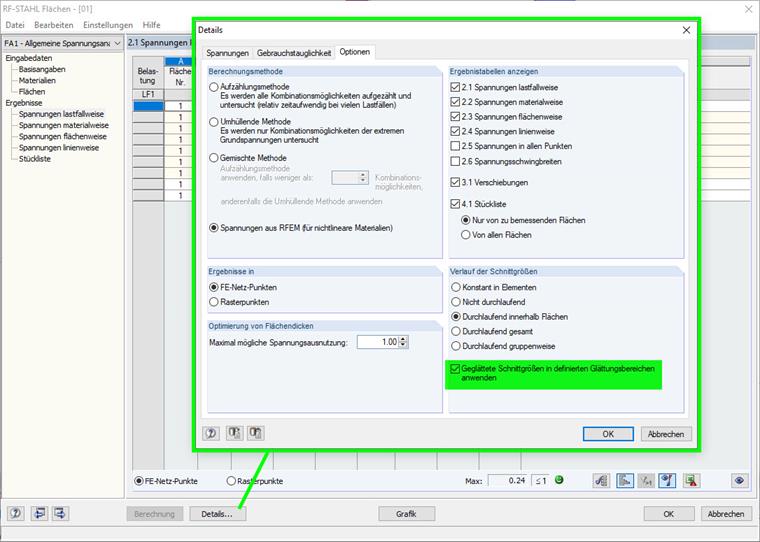
In order to consider smooth ranges in the design in RF‑STEEL Surfaces, they must always be activated in the detail settings of the add-on module. See Image 01 with the detail settings in RF‑STEEL Surfaces.
Sign up for the Dlubal Extranet to get most of the software and have exclusive access to your personal data.
Sign up for the Dlubal Extranet to get most of the software and have exclusive access to your personal data.
Sign up for the Dlubal Extranet to get most of the software and have exclusive access to your personal data.
In order to consider smooth ranges in the design in RF‑STEEL Surfaces, they must always be activated in the detail settings of the add-on module. See Image 01 with the detail settings in RF‑STEEL Surfaces.