Answer:
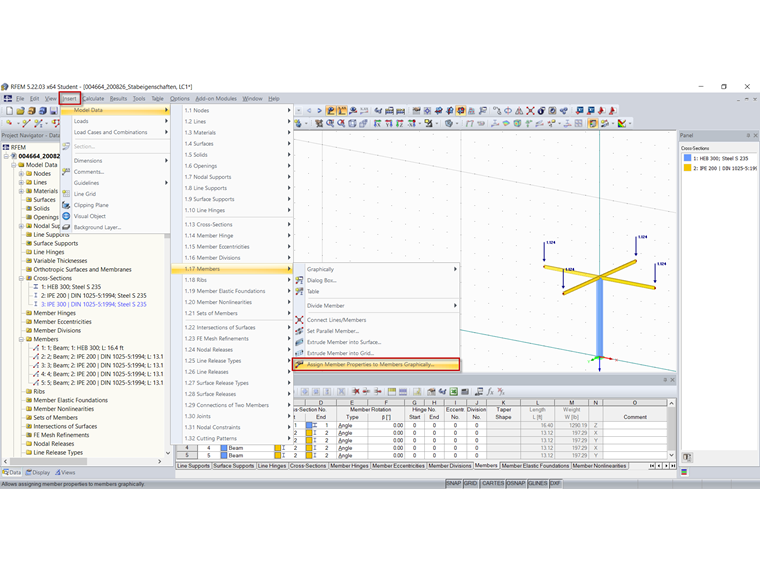
To do this, you can use the "Assign Member Properties Graphically" function, for example.
You can use this feature to graphically transfer the definition criteria of members for cross-sections, releases, and eccentricities to already created members.

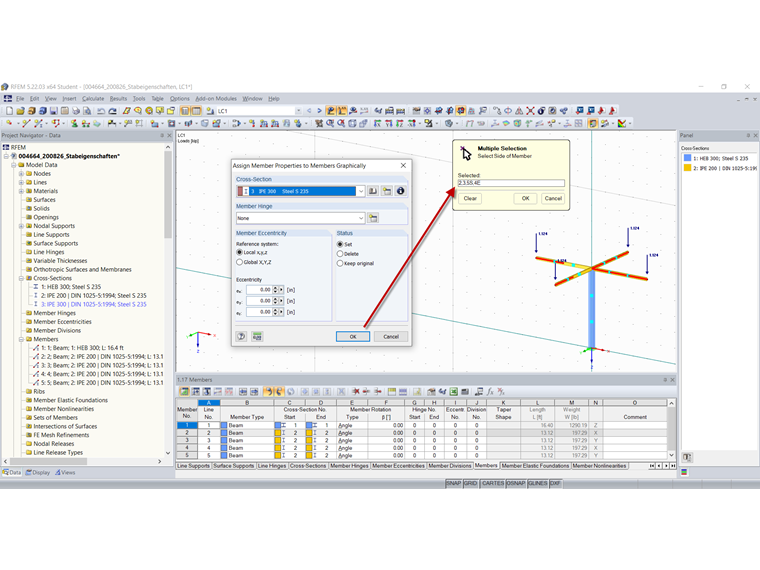
After clicking [OK] to confirm the dialog box, the members are divided graphically at one-third division points. Now you can click the member sides to which you want to apply the selected properties (a release, for example). Click the center of a member to assign the release or eccentricity to both member ends.
A detailed description of this feature can also be found in the RFEM online manual.