1837x
004811
2020-11-06

Deformation Values of Intermediate Nodes

How can I display the deformation values of the individual intermediate nodes on members?


Answer:

First of all, we recommend using the "Connect Lines/Members" function to separate the members from each other at intermediate nodes. They are still connected.

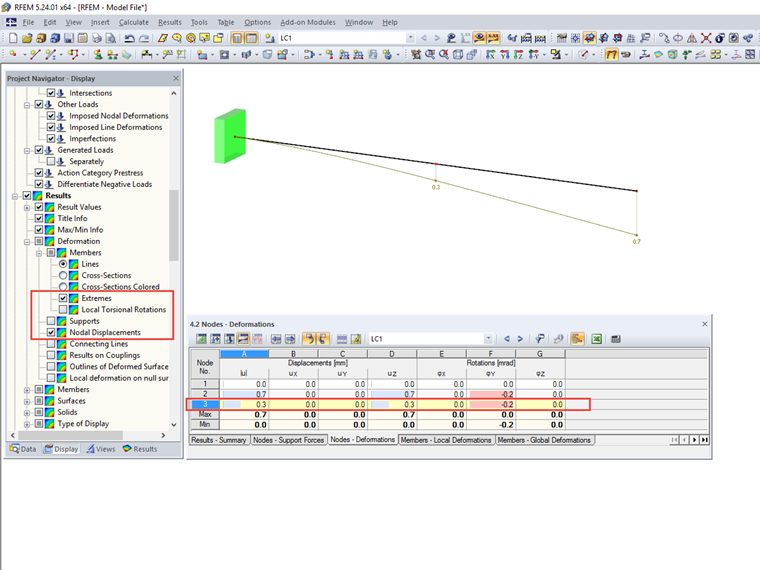
Then, activate "Nodal Displacements" and "Extremes" under "Results" in the Display navigator.

Furthermore, the deformation values can be displayed in the table window.

Author

Frank is responsible for quality assurance in the RFEM program and also assists with customer support. He oversees technical design processes and contributes to the stability and reliability of the software.

Downloads


;