Answer:
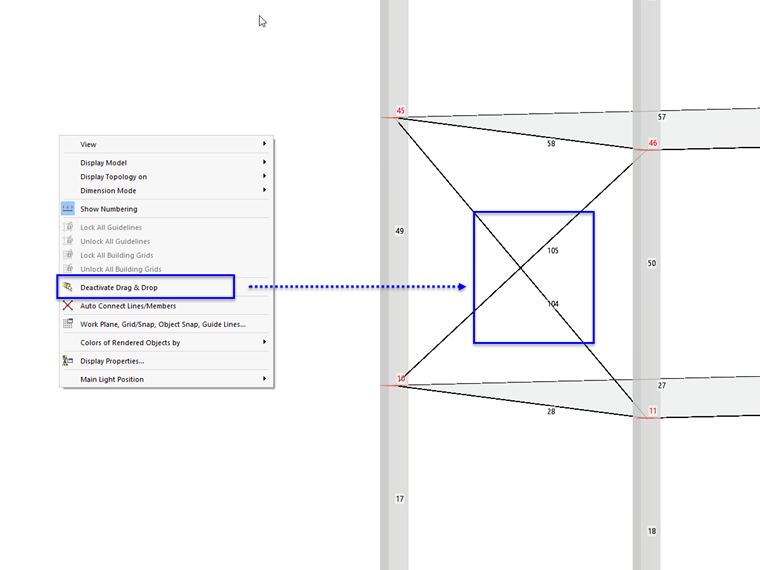
By default, lines and members are automatically divided once they cross each other. This ensures that the structure is connected at the common node. Sometimes, however, this is not desired; for example, for the diagonals of bracing.
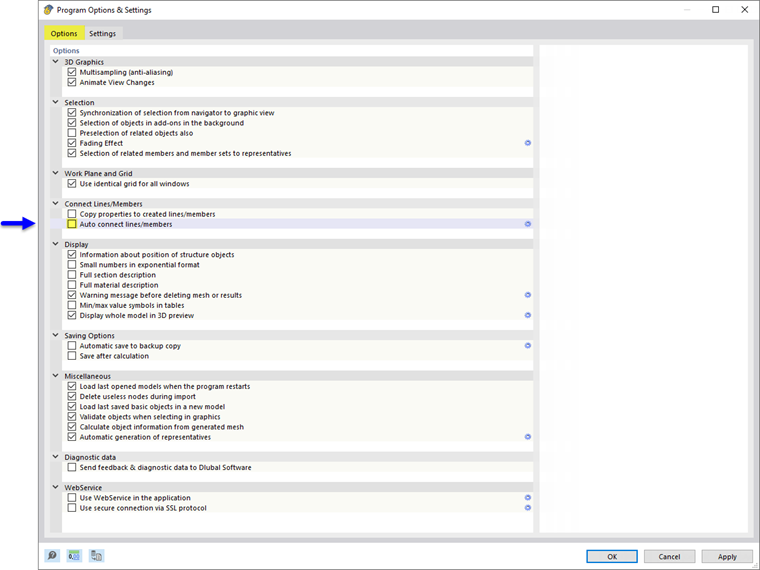
To prevent the automatic connection, open the program settings using the menu Options → Program Options. Then, deactivate the Auto Connect Lines/Members option.
As an alternative, you can use the function in the general shortcut menu. To do this, right-click in an empty space of the work window.