Object selections allow you to divide your model into several sections and perform the design step by step.
Step 1 – Dividing Building into Object Selections
You can use object selections to segment the building.
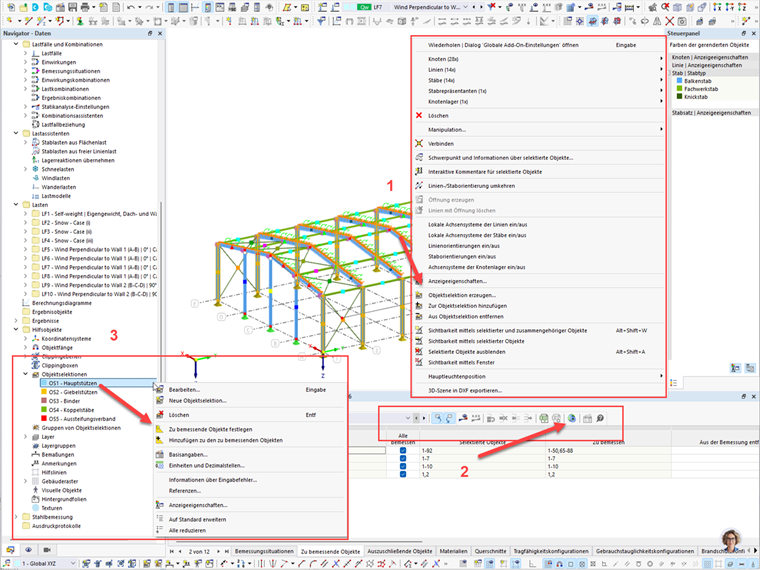
You can create or edit them using the Navigator – Data in the dialog box or by right-clicking the selected elements (Image 1).
Step 2 – Global Settings
In the Global Settings of the respective add-ons, you can configure settings for the calculation lifecycle. Here, deactivate the “Delete all add-on results by changing input data” check box. This allows you to add components to the design without deleting previous results.
Step 3 – Design Using Object Selections
Now, go to the “Objects to Design” table in the design add-on. Selected objects can be defined as design objects or added to the design (Image 1).
This allows you to perform the design in individual or additive sections or component groups without deleting the results.