Answer:
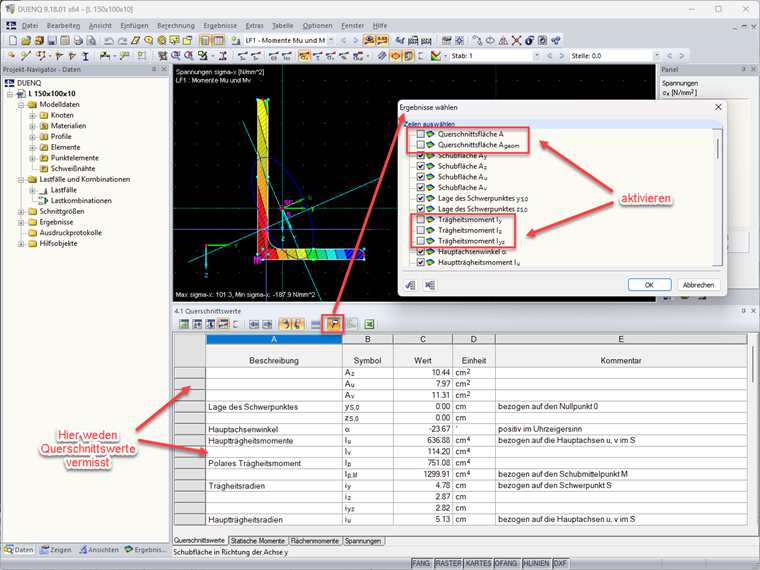
The cross-section properties are output in Table 4.1. The entries in this table can be controlled. To do this, click on the icon with the funnel (result filter) in the toolbar.
The “Select Results” window opens. Activate the corresponding entries.
After the window has been closed by clicking “OK”, the corresponding cross-section properties appear in the table.
Recalculation is not necessary. The cross-section values have already been calculated, they have simply been excluded from the display in the table.
Model to Download: Click the following image