


Answer:
If the “Nodes – Support Forces” table is missing in the printout report, this is often because the corresponding results have been deactivated in the result table manager.
The output in the printout report is based on the activated result tables. If the node-specific results are deactivated there, the “Nodes – Support Forces” table will not be displayed in the printout report either.
Solution
- Open the result table manager.
- Activate the corresponding results by node or the “Support Forces” table.
- Refresh the printout report.
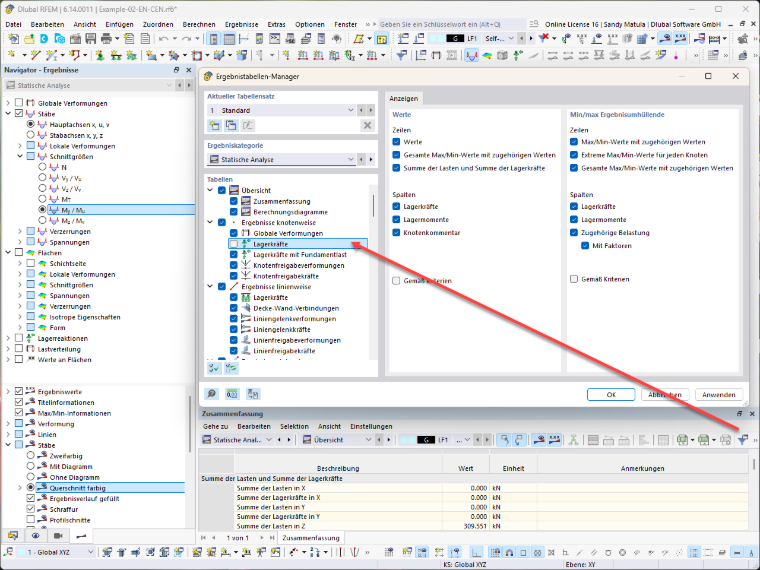
After the activation, the table will be displayed again in the printout report.
Note:
The visibility of result tables in the printout report is directly linked to the settings in the result table manager. If tables are deactivated there, they will no longer be available for output in the printout report.