Question:
How do I apply the ASCE 7 Orthogonal Directional Combination procedure (100% + 30% rule) to my seismic load?
Answer:
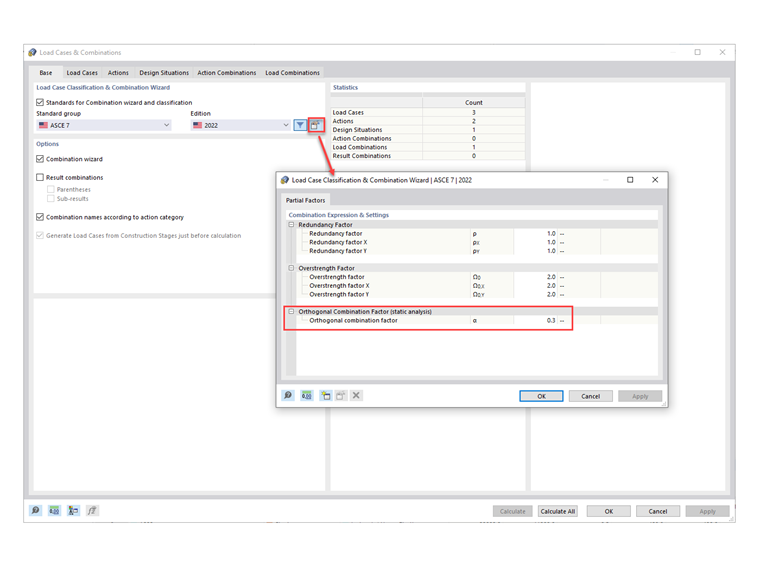
1) The default orthogonal combination factor is set to 0.3 (30%). This value can be changed by going to Edit Parameters of Edition in the Load Cases & Combinations (Image 01)
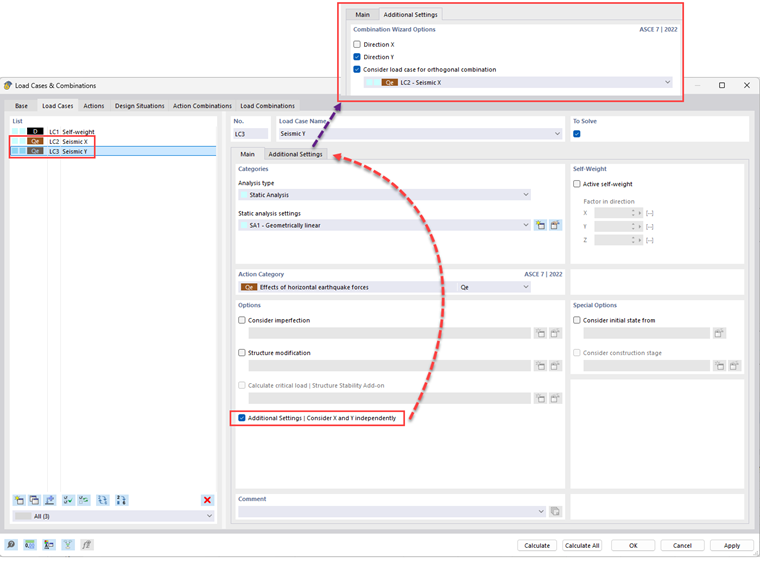
2) Under the Load Cases tab, create the seismic load cases in the X and Y directions with Qe as the Action Category. Activate the 'Additional Settings | Consider X and Y independently' option.
Under the Additional Settings tab, specify the direction for each LC. After doing so, activate the 'Consider load case for orthogonal combination' option. The orthogonal direction from the drop-down menu is automatically selected for both LCs (Image 02)
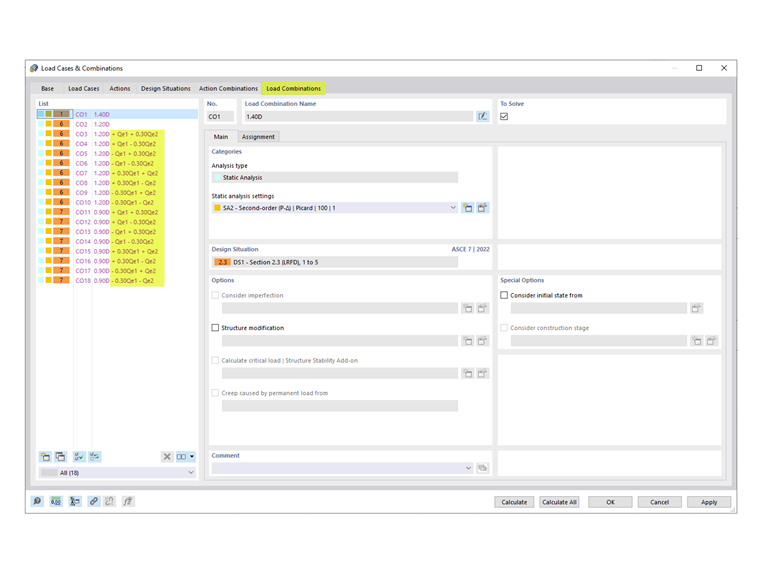
3) The generated COs, including the orthogonal combination factor, are listed in the Load Combinations tab (Image 03)