Answer:
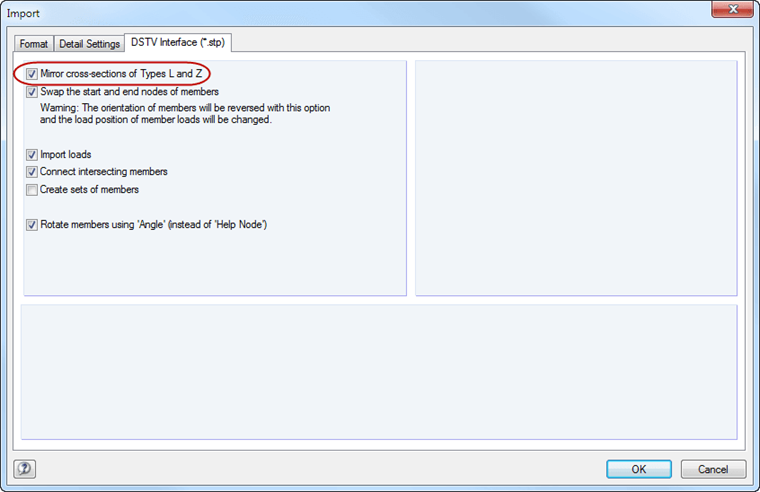
In the detail settings for the DSTV interface, you can specify that the cross-sections of the L and Z type are mirrored: Menu "File" → "Import", tab DSTV Interface (*.stp)
Unselect the check box (see the image).
Sign up for the Dlubal Extranet to get most of the software and have exclusive access to your personal data.
Sign up for the Dlubal Extranet to get most of the software and have exclusive access to your personal data.
Sign up for the Dlubal Extranet to get most of the software and have exclusive access to your personal data.
In the detail settings for the DSTV interface, you can specify that the cross-sections of the L and Z type are mirrored: Menu "File" → "Import", tab DSTV Interface (*.stp)
Unselect the check box (see the image).