Answer:
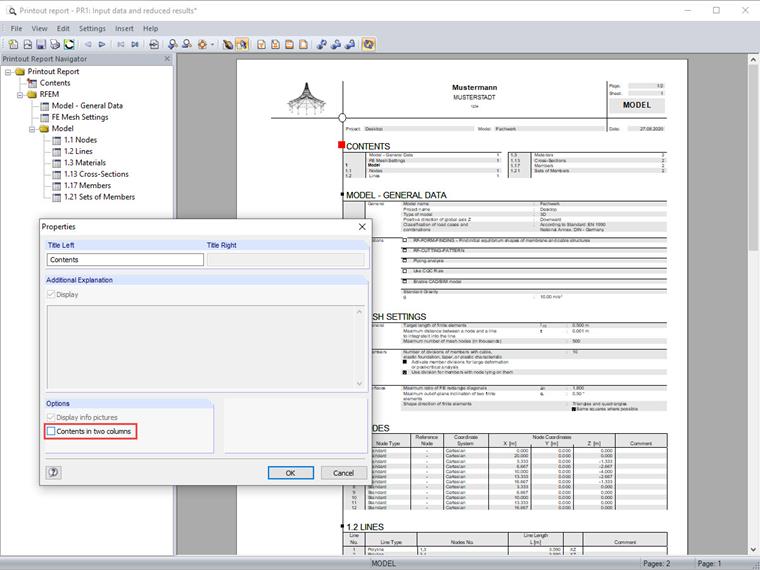
By right-clicking "Contents", a dialog box opens where you can deactivate the "Contents in Two Columns" checkbox. Then, the table of contents is only displayed in one column.
Sign up for the Dlubal Extranet to get most of the software and have exclusive access to your personal data.
Sign up for the Dlubal Extranet to get most of the software and have exclusive access to your personal data.
Sign up for the Dlubal Extranet to get most of the software and have exclusive access to your personal data.
By right-clicking "Contents", a dialog box opens where you can deactivate the "Contents in Two Columns" checkbox. Then, the table of contents is only displayed in one column.
Sandy provides support in Customer Support for technical issues related to the software. She reliably familiarizes herself with new topics and helps develop clearly structured solutions.