Answer:
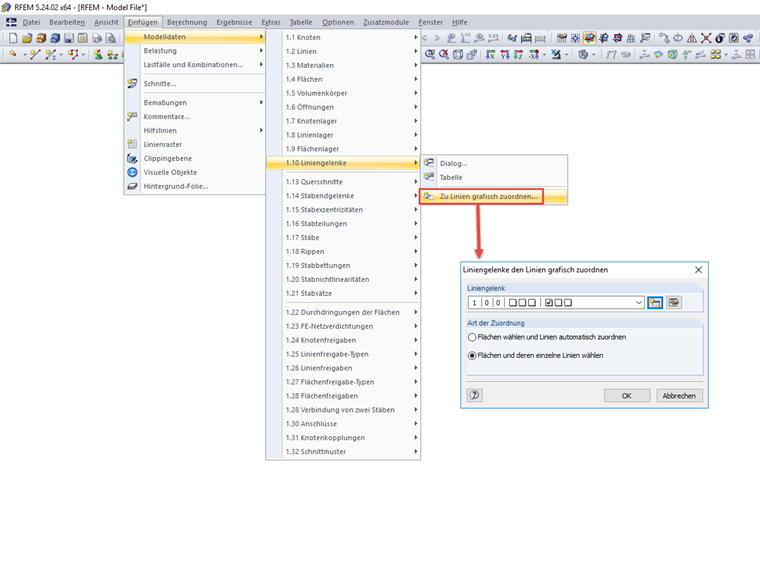
Line hinges can be efficiently assigned using the "Assign to Lines" function. You can access this function via the menu "Insert → Model Data → 1.10 Line Hinges → Assign to Lines"; see the image.
Sign up for the Dlubal Extranet to get most of the software and have exclusive access to your personal data.
Sign up for the Dlubal Extranet to get most of the software and have exclusive access to your personal data.
Sign up for the Dlubal Extranet to get most of the software and have exclusive access to your personal data.
Line hinges can be efficiently assigned using the "Assign to Lines" function. You can access this function via the menu "Insert → Model Data → 1.10 Line Hinges → Assign to Lines"; see the image.