


Answer:
This feature is available in the menu "Tools → Renumber → Singly" (see the image).
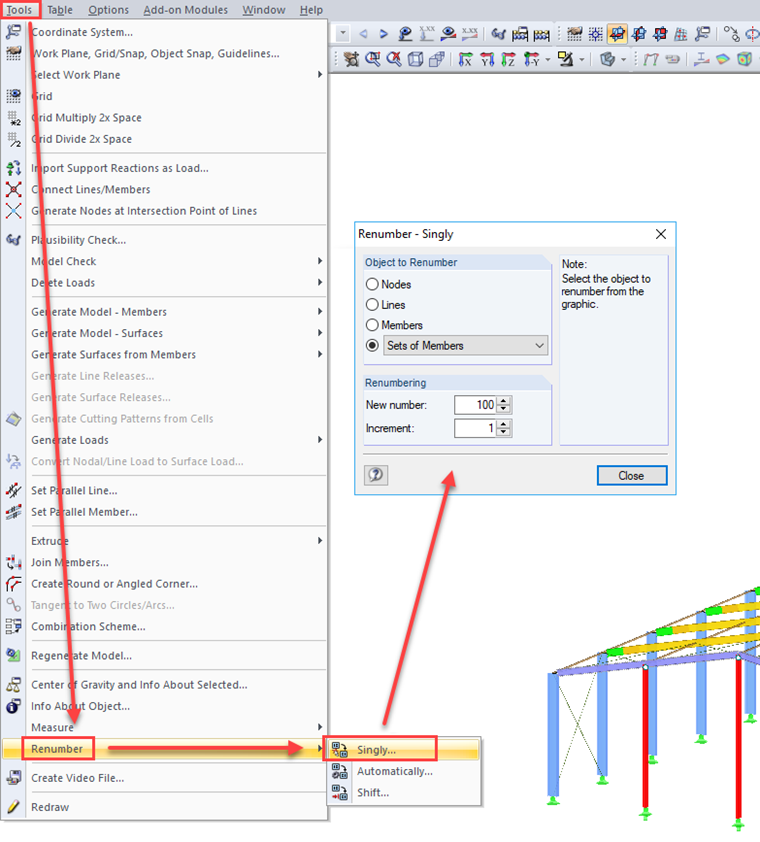
In the dialog box, enter the object you want to renumber; for example, "member sets". Then, enter a new start number; for example, "100". Please make sure that this number has not yet been assigned.
Then you can click the elements in the graphic one by one and change the numbers.