Answer:
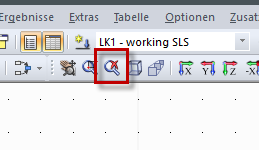
Right-click the image and select "Edit…". In the RFEM/RSTAB display, click the "Display Graphic Complete" button and return to the printout report. Then, the graphic should be displayed completely.
Sign up for the Dlubal Extranet to get most of the software and have exclusive access to your personal data.
Sign up for the Dlubal Extranet to get most of the software and have exclusive access to your personal data.
Sign up for the Dlubal Extranet to get most of the software and have exclusive access to your personal data.
Right-click the image and select "Edit…". In the RFEM/RSTAB display, click the "Display Graphic Complete" button and return to the printout report. Then, the graphic should be displayed completely.