Answer:
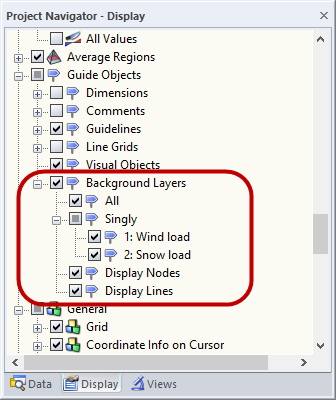
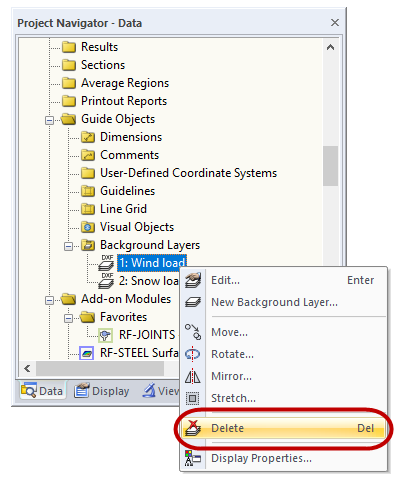
You can hide the background layers in the "Display Navigator" (see Image 01). In case you want to delete any background layer, you can delete it in the "Data Navigator" (see Image 02).
Sign up for the Dlubal Extranet to get most of the software and have exclusive access to your personal data.
Sign up for the Dlubal Extranet to get most of the software and have exclusive access to your personal data.
Sign up for the Dlubal Extranet to get most of the software and have exclusive access to your personal data.
You can hide the background layers in the "Display Navigator" (see Image 01). In case you want to delete any background layer, you can delete it in the "Data Navigator" (see Image 02).
Gerhard works in product engineering in the field of timber structures and also assists with customer support. He draws on his development experience to create practical and actionable solutions.