1105x
003075
2019-05-13

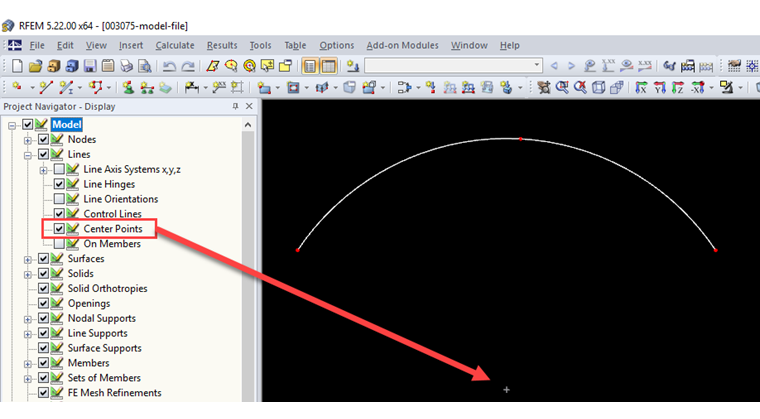
Displaying Center Point of Circle, Arc, or Ellipse

How can I display the center of a circle, an arc, an ellipse, and so on?


Answer:

Displaying the center of a circle, an arc, an ellipse, and others, can be controlled in Project Navigator - Display. To display it, select the check box Model → Lines → Center Points (see Image 01). It is also possible to capture the center point.

Author

Sonja works in Product Engineering and also assists with Customer Support. Her focus is on RSECTION as well as steel and aluminum structures, where she applies her expertise.


;