Answer:
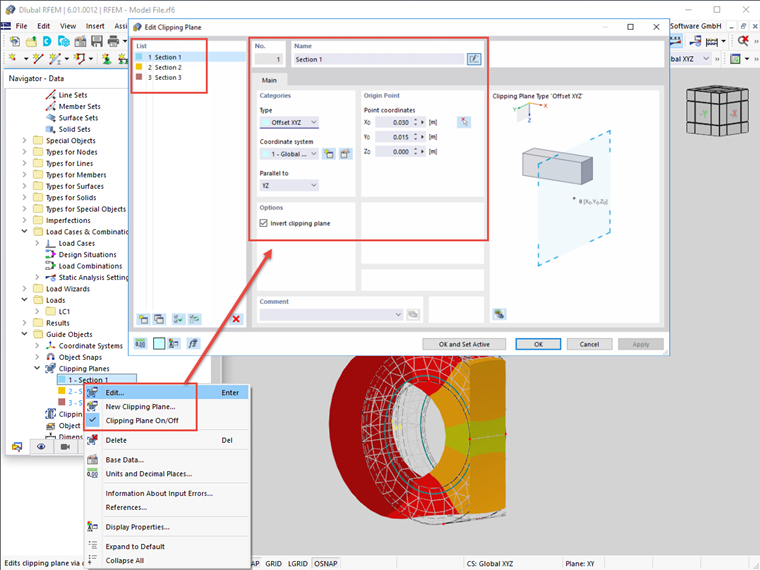
Yes, the "Clipping Plane" function allows you to do this. A clipping plane can be defined using the menu "Insert" → "Help Objects" → "Clipping Planes" or the Data navigator → "Guide Objects" → "Clipping Planes".
Use the shortcut menu (right-click) to activate and deactivate the clipping plane and to open the dialog box for editing the parameters; see the image below.
In the case of solids or other more complex models in particular, it is useful to create clipping planes in order to get more detailed insight into the results.
For documentation purposes, the view of a clipping plane can be transferred to the report by clicking the "Print to Printer" button.