Answer:
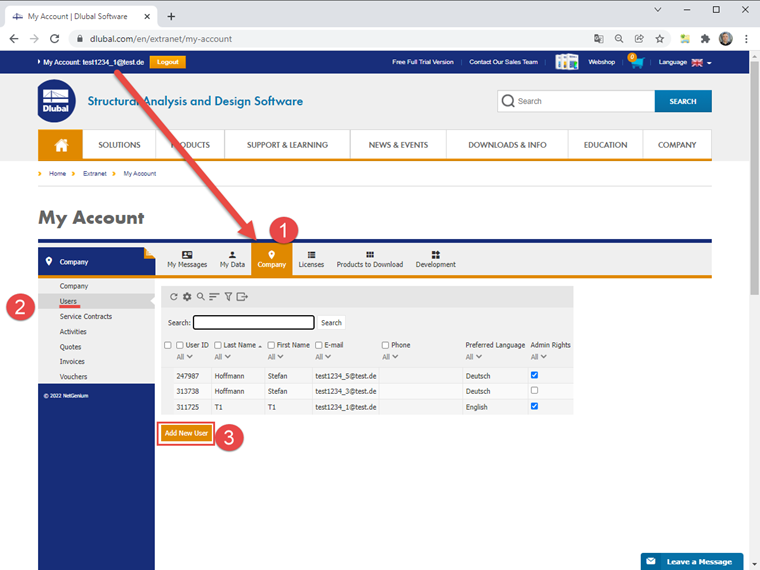
Check to see if your customer account has administrator rights.
You can then view a list of your company contacts under Company - Users. Below the overview, you can find a button to create a new contact.
When creating a user, you can set a password directly and inform the user. Our system will not send an automatic email to the new user. You will need to inform the user about the account you have created, including the password.
If you have not set a password, the user can set their password for the first time via this link.
Reset Password