


Answer:
In RFEM and RSTAB, you can hide certain objects and thus create user-defined visibilities. These hidden objects are displayed in gray in the background.
The intensity of the gray color can be adjusted in the "Program Options & Settings" dialog box under the "Settings" tab.
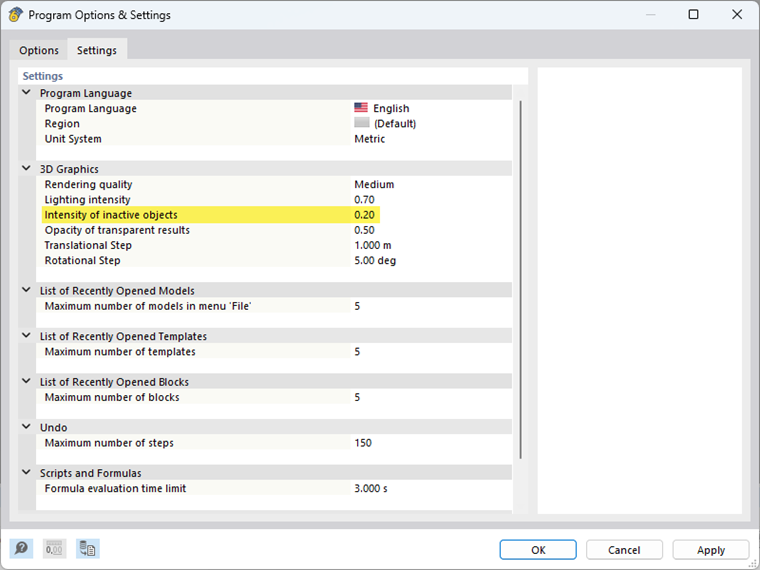
You can select a value between 0 and 1. The higher the selected value, the darker the inactive objects are displayed.