


Answer:
In order to display new dimensions, notes, or guidelines in the printout report, it is necessary to ensure that they are active and visible in the image of the printout report.
To do this, follow these steps:
- Open the printout report and edit the corresponding image.
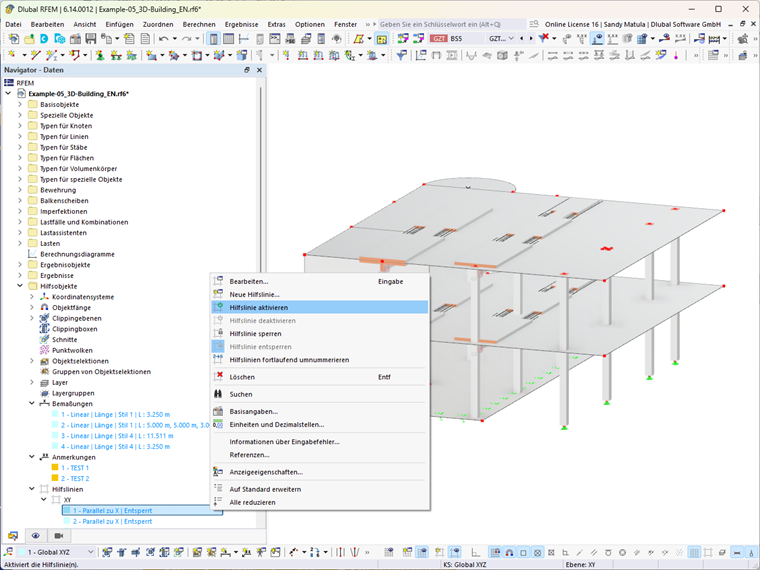
- In the Navigator – Data, right-click the blue-highlighted elements (for example, dimensions, notes, or guidelines)
- Select “Activate Dimension,” “Activate Note,” or “Activate Guideline”.
- Confirm the changes in the “Edit Printout Report Screen” dialog box by clicking OK.
- Then update the printout report.
The newly activated objects will then be displayed in the printout report.