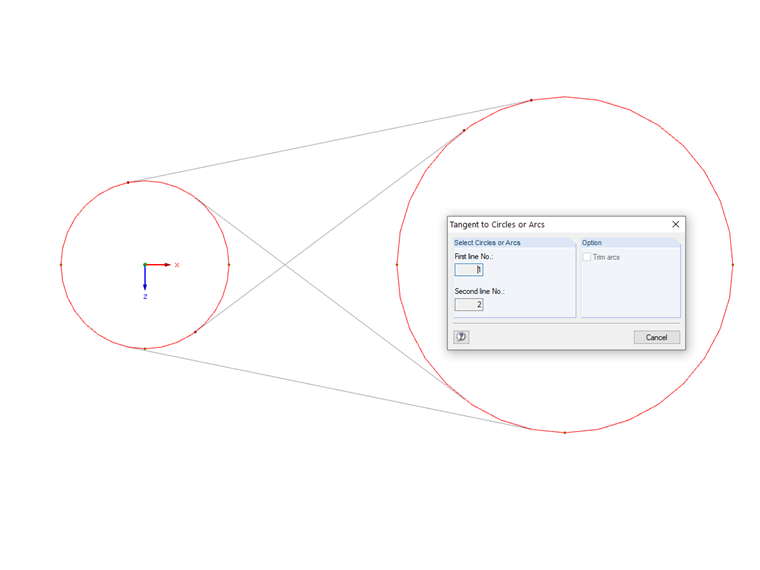
When the "Tangent to Circles or Arcs" dialog box appears, you can select two existing circles or arcs. Then, RFEM shows you the possible tangents. Now you can select one of these tangents, thus creating it in the model and leaving the dialog box.
Sign up for the Dlubal Extranet to get most of the software and have exclusive access to your personal data.
When the "Tangent to Circles or Arcs" dialog box appears, you can select two existing circles or arcs. Then, RFEM shows you the possible tangents. Now you can select one of these tangents, thus creating it in the model and leaving the dialog box.
Mr. Baumgärtel provides technical support for Dlubal Software customers.