Answer:
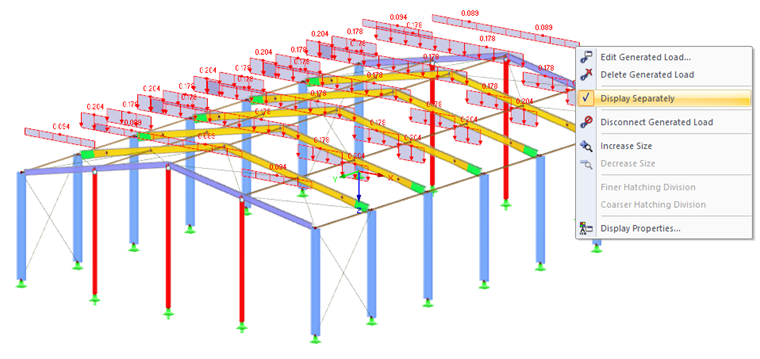
It is possible to display the generated load as a surface load and in the form of member loads: right-click the generated load and select the option "Display separately" in the shortcut menu (see image).
The webinar "Design of Steel Structures According to EC 3 | Part 1: Modeling, Load Input, Combinatorics” describes the load generation, among other things.