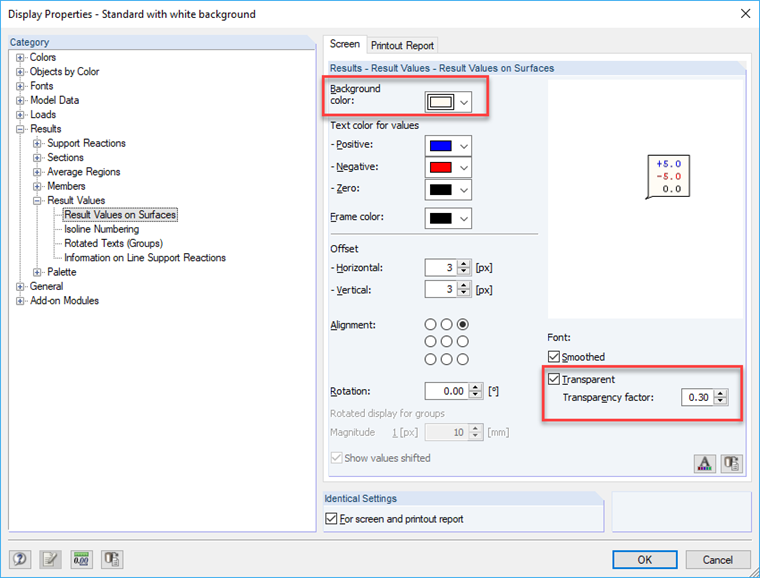
Right-click one of the values and select "Display Properties" in the shortcut menu to go directly to the required setting: "Results → Result Values → Result Values on Surfaces". In the two tabs "Screen" and "Printout Report" you can adjust settings, such as a transparent or colored display of the values, and define the background color of the values.
Activating Transparent Display of Values in Graphics in RFEM 5
How can I activate and deactivate the transparent display of values on surfaces for graphics in the printout report in RFEM 5?
Answer:
Author
Frank is responsible for quality assurance in the RFEM program and also assists with customer support. He oversees technical design processes and contributes to the stability and reliability of the software.
Downloads
;