1596x
002814
2019-11-17

Grayed-out Field of "Set Wind on Side" for Wind Load Generation in RFEM 5

Why is the "Set Wind on Side" section in RFEM 5 grayed out in the wind load generator after selecting the nodes of the base and roof geometry?


Answer:

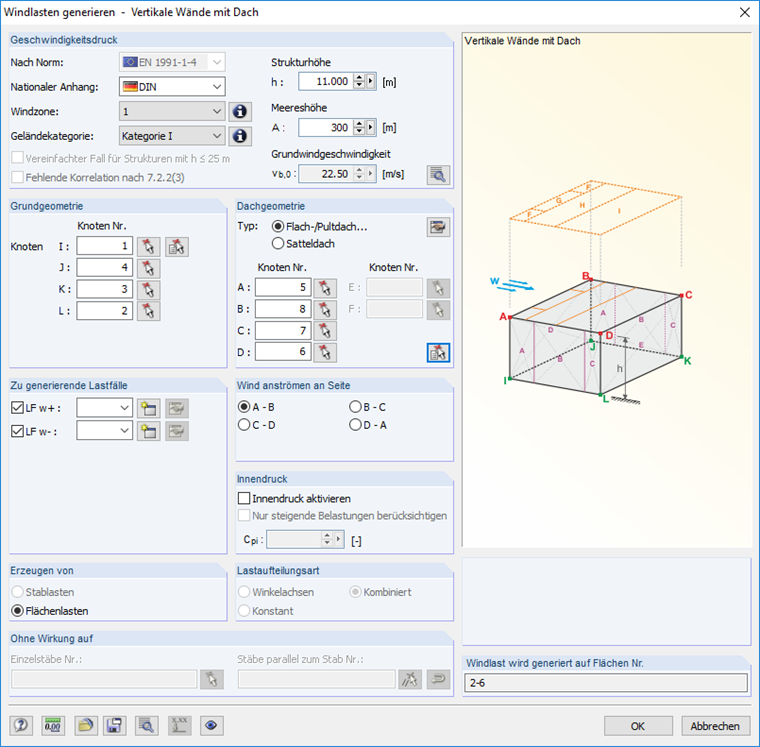
When selecting the nodes for the base geometry and the roof geometry, make sure that the nodes have the same arrangement as shown in the image; that is:

  • Node A via Node I
  • Node B via Node J
  • Node C via Node K
  • Node D via Node L

Author

Mr. Faulstich is responsible for the quality assurance of the RFEM program and provides customer support.

Downloads


;