Answer:
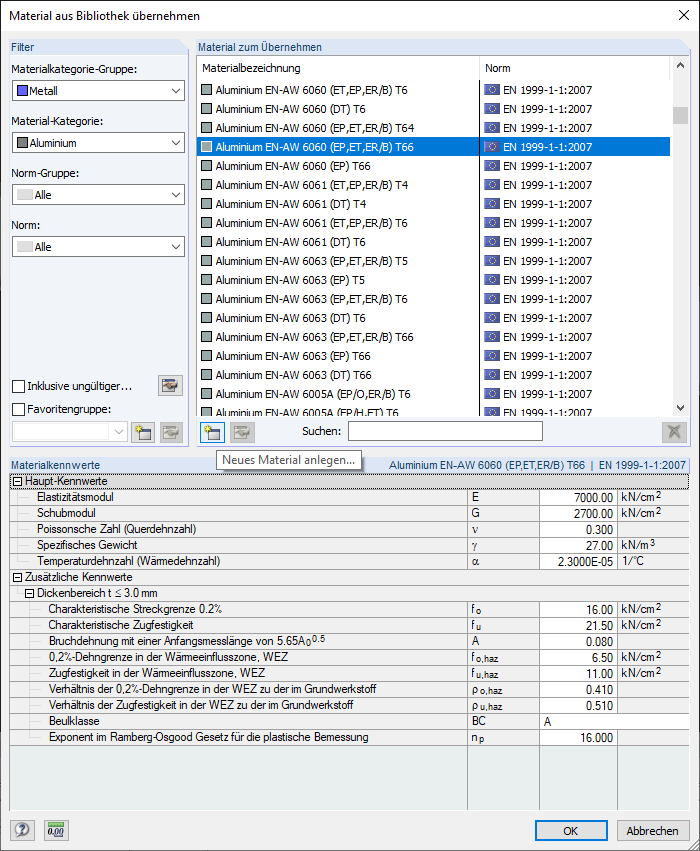
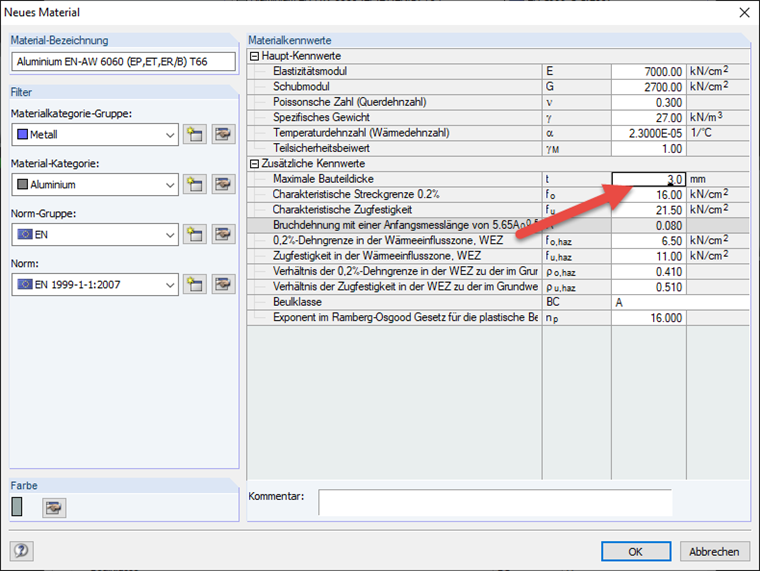
The limits cannot be modified in the mentioned add-on modules. However, you can create a new material with the modified limits based on the desired material. Image 01 shows the dialog box of the material library. Select the suitable base material here and click the "Create New Material…" button. In the following dialog box, you can assign a new name to the material and change all the parameters of the material.