RFEM and RSTAB have two axes for asymmetric, open, and ordinary cross-sections. After the calculation, the results for the principal axes are displayed. However, you can specify any principal coordinate system for displaying the vectors. Just select one of both options "Principal Axes" or "Member Axes" in Project Navigator –Results.
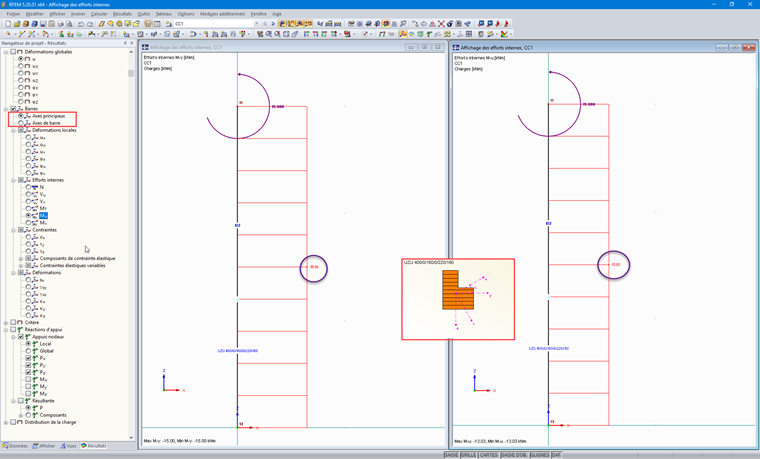
Displaying Torsional Buckling in RFEM and RSTAB: Selecting Reference Axes
How can I display the internal forces in the global coordinate system and not in the principal coordinate system of the cross-section?
Answer:
Author
Cosme Asseya is the CEO of the Dlubal Software branch office in Paris, France. He is responsible for coordinating sales, marketing, and technical support activities for French-speaking countries.
;