Answer:
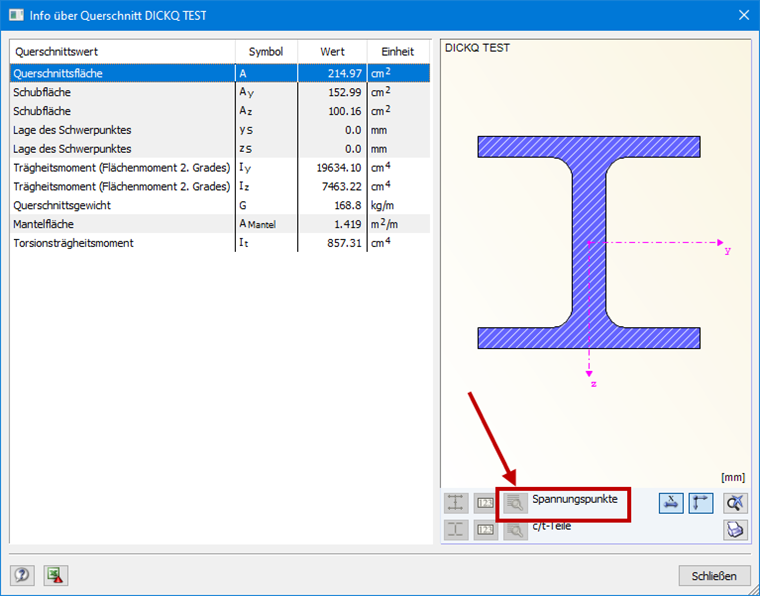
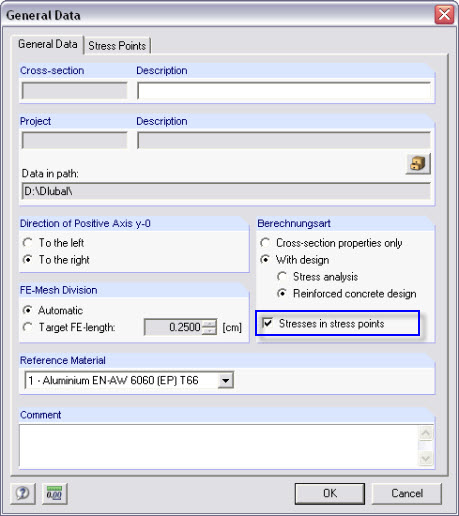
In this case, take a look at the stress points in the cross-section details. If they are not accessible (grayed out), no stress points have been defined in SHAPE‑MASSIVE and the design is not possible. In SHAPE‑MASSIVE, it is necessary to activate the "Stresses by Stress Points" option in General Data. After recalculating and saving, the cross-section can be designed in the RF‑/STEEL add‑on module.