Answer:
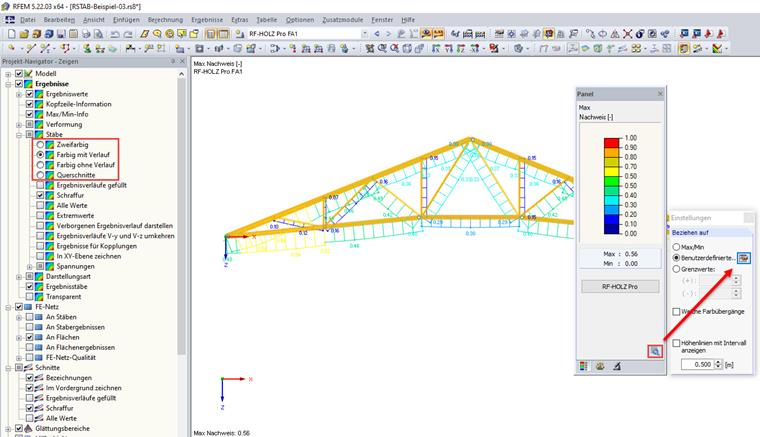
The member internal forces and designs are displayed as two-colored by default. The positive internal forces are displayed in blue and the negative internal forces in red.
If the member internal forces are displayed with the "With/Without Diagram", you can control the color assignment of the graphical results according to the scale in the panel.