0x
004603
2020-08-07

Displaying Local Axis System and Reference of Member Internal Forces

I would like to check the internal forces on a member. Can I display the axis system, and what do the internal forces refer to?


Answer:

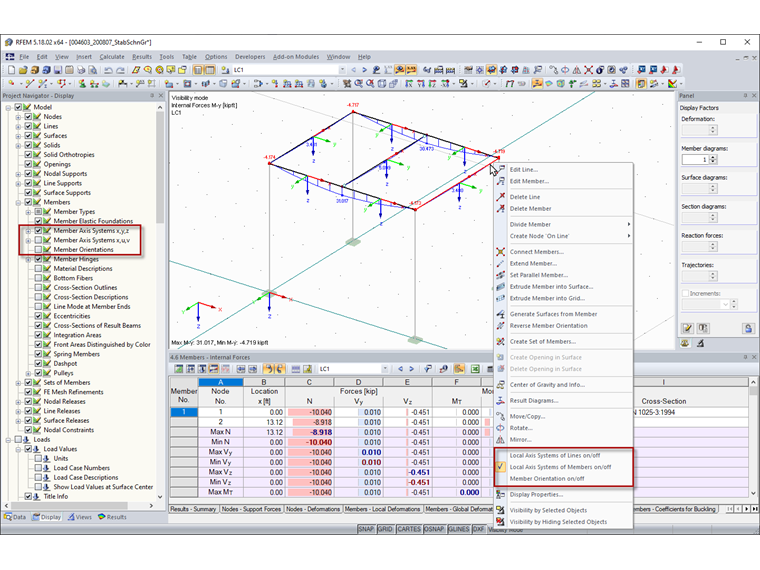
You can activate the display of the local axis system of members either by right-clicking a member in the member shortcut menu or in Project Navigator – Display.
Member internal forces are displayed with regard to the member axes or the principal axes (FAQ 003291).

You can also find the definition of member internal forces in the online manual.


Author

Stefan provides support in Customer Support for technical inquiries. Even when dealing with more complex issues, he takes a structured approach and ensures that the results are easy to understand.

Links
Downloads


;