Answer:
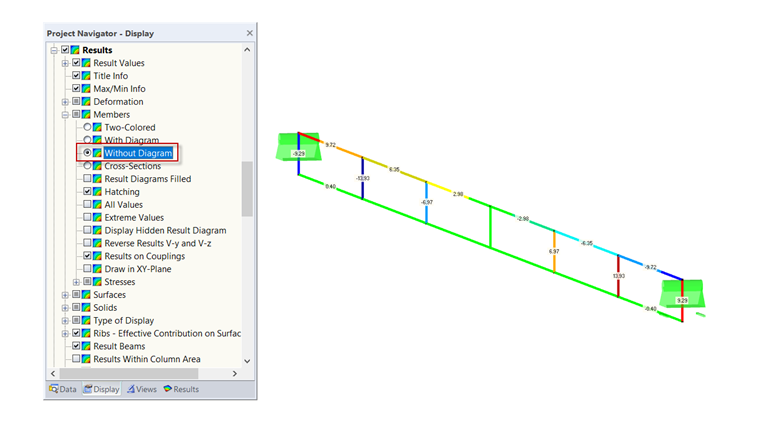
In this case, the "Without Diagram" display option for members is suitable:
"Display" navigator → "Results" → "Members" → "Without Diagram".
Sign up for the Dlubal Extranet to get most of the software and have exclusive access to your personal data.
Sign up for the Dlubal Extranet to get most of the software and have exclusive access to your personal data.
Sign up for the Dlubal Extranet to get most of the software and have exclusive access to your personal data.
I have an RFEM 5 model with relatively short members as couplings. The display of internal forces is confusing due to the short members. Is there any way to display the internal forces so that they are legible?
In this case, the "Without Diagram" display option for members is suitable:
"Display" navigator → "Results" → "Members" → "Without Diagram".
Frank is responsible for quality assurance in the RFEM program and also assists with customer support. He oversees technical design processes and contributes to the stability and reliability of the software.