Answer:
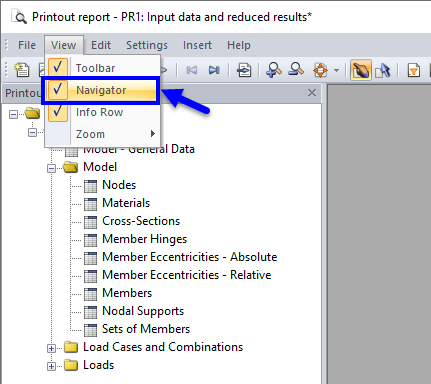
To show or hide the printout report navigator, use the View → Navigator menu.

You can also close the printout report navigator using the
 button.
Sign up for the Dlubal Extranet to get most of the software and have exclusive access to your personal data.
Sign up for the Dlubal Extranet to get most of the software and have exclusive access to your personal data.
Sign up for the Dlubal Extranet to get most of the software and have exclusive access to your personal data.
To show or hide the printout report navigator, use the View → Navigator menu.
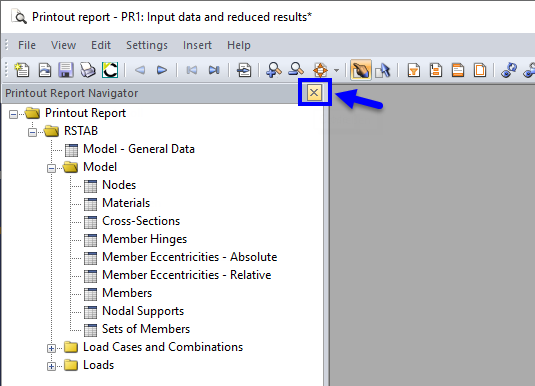
You can also close the printout report navigator using the
button.
Sonja works in Product Engineering and also assists with Customer Support. Her focus is on RSECTION as well as steel and aluminum structures, where she applies her expertise.