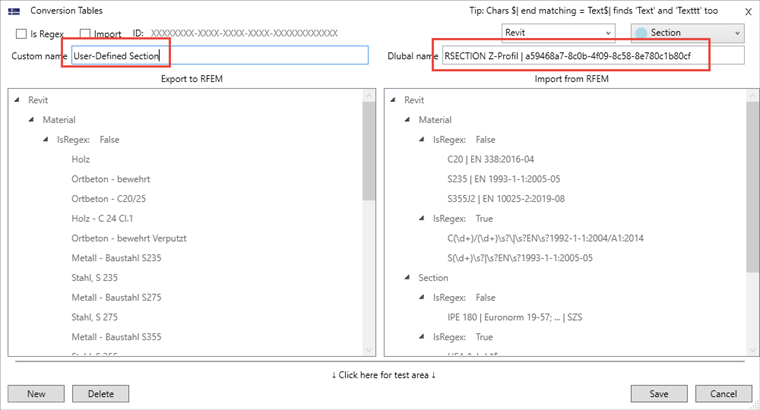
Answer:
When using user-defined cross-sections in Revit, you can create them in RSECTION and control them for the export to RFEM 6.
Creating Cross-Section Template Using RSECTION
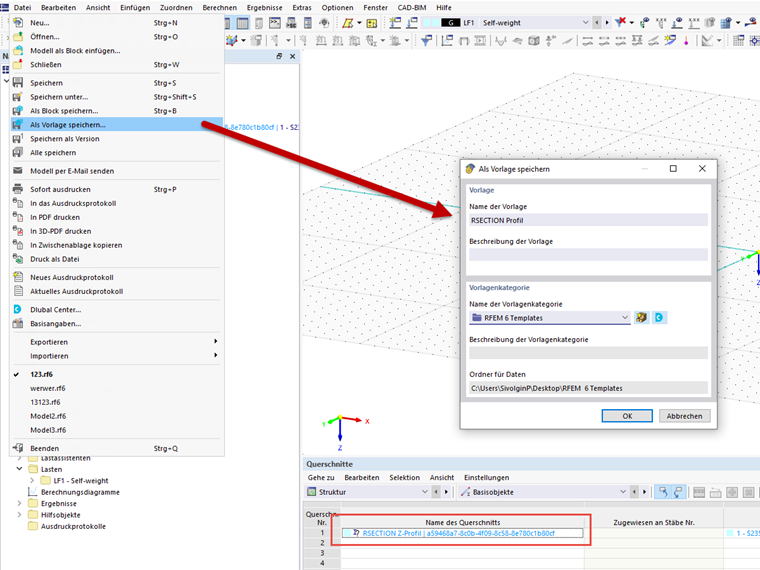
Import your RSECTION cross-section into RFEM 6:
Then, save the RFEM file as a template (*.ft6 file):
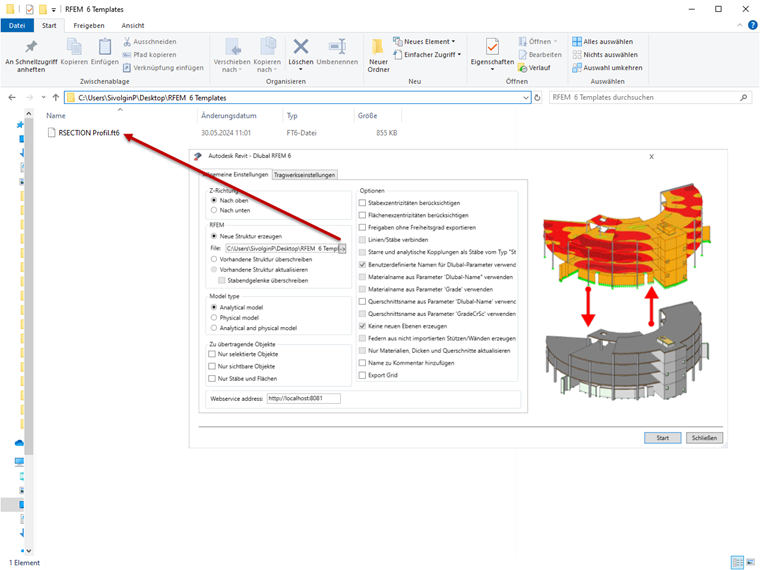
Referring to Template for Revit Export
When opening the Export dialog box in Revit, you have the option to define the file path for an RFEM model template (*ft6 file). Select your previously saved template file for this.
Then, you need to save the conversion in the conversion tables in Revit for the RSECTION cross-section.