Answer:
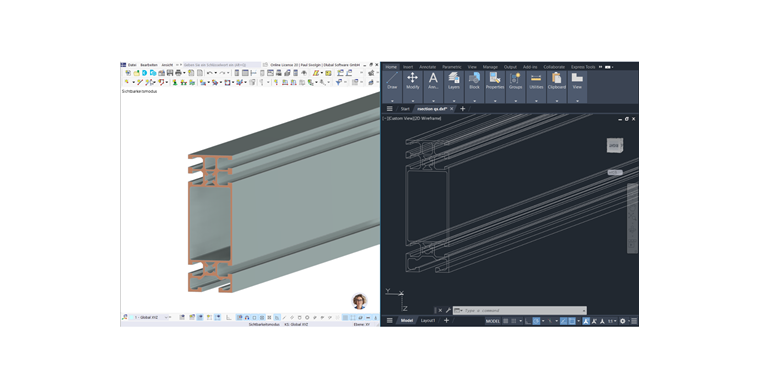
Using the 3D Scene Export function, you can save the cross-section contours from RFEM 6 as a DXF file.
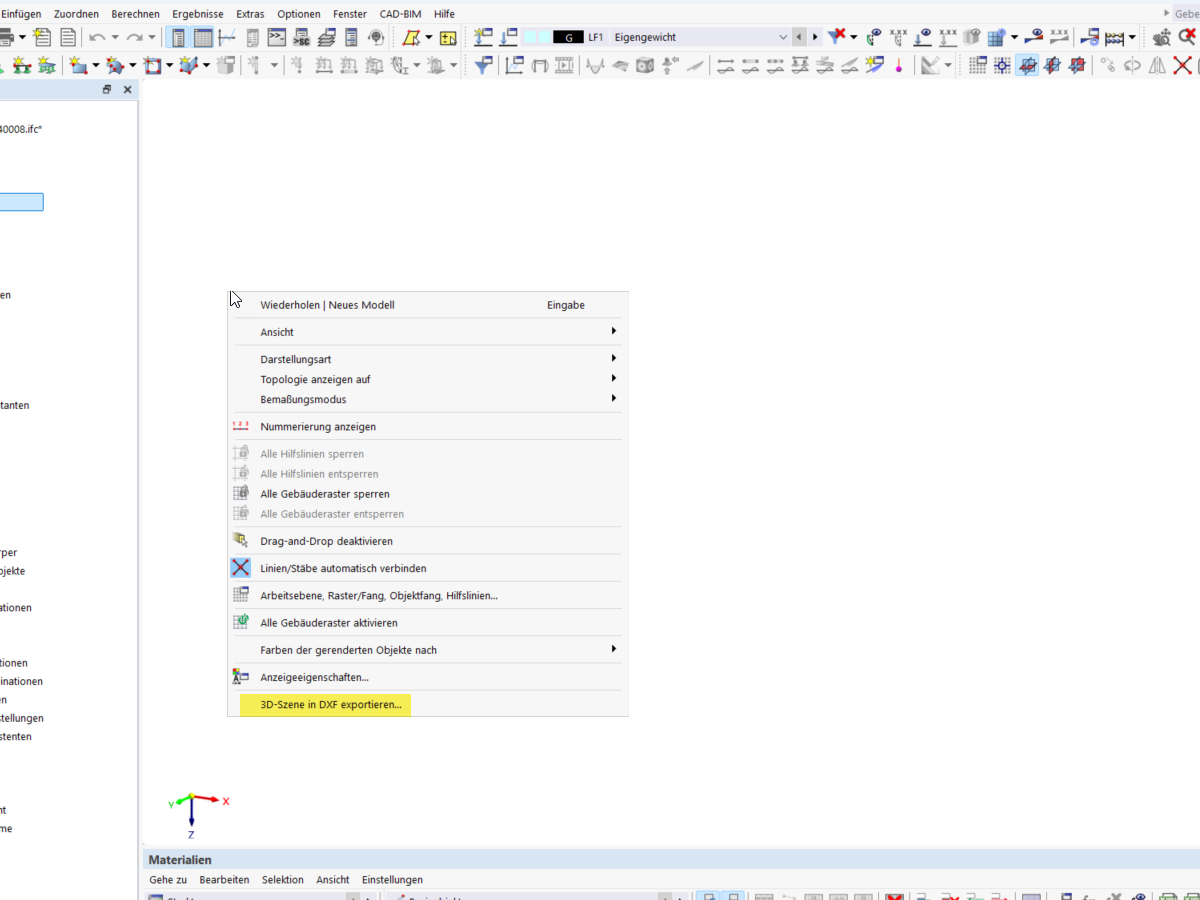
Right-click in the work area to open the shortcut menu. The Export 3D Scene to DXF option creates a DXF file with the visible objects in the work area.
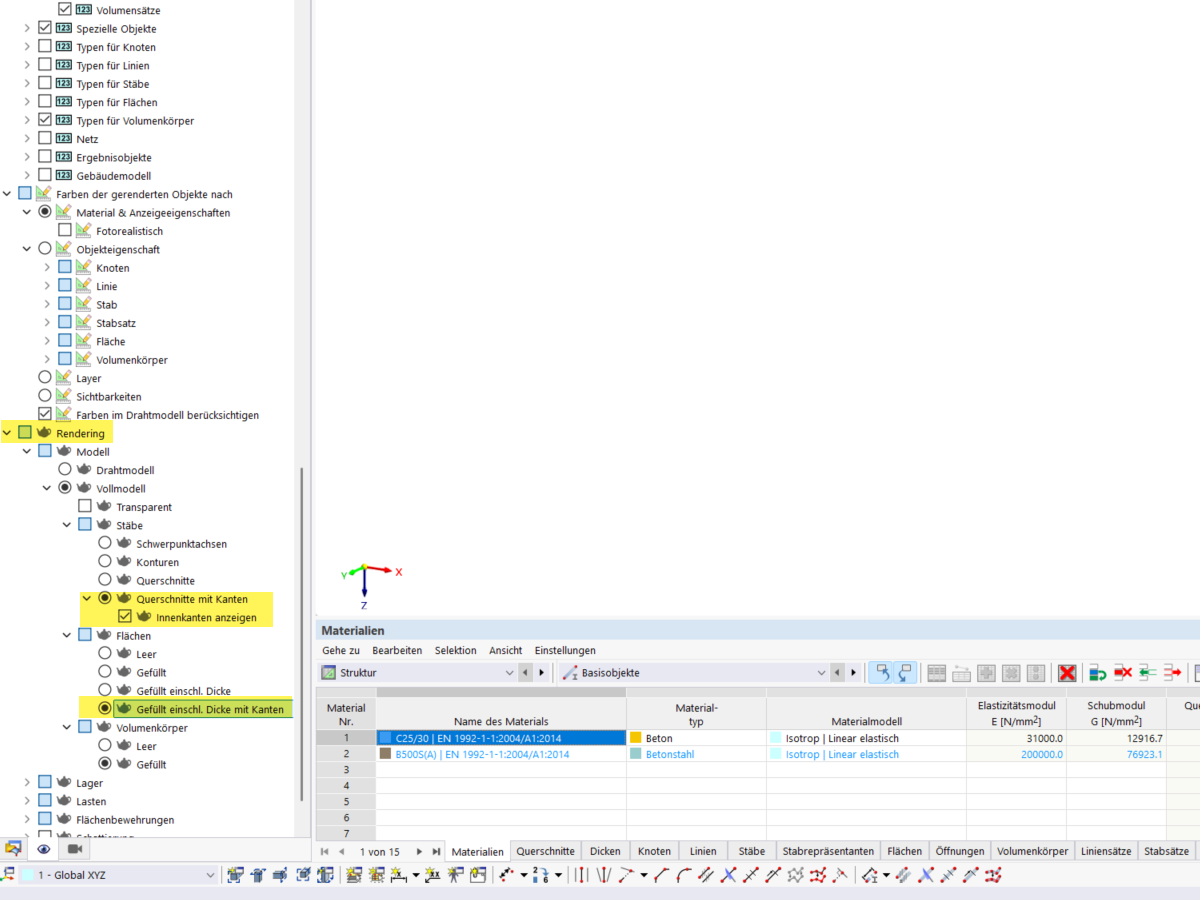
To export the cross-section contours, it is necessary to activate the following rendering settings in the Display Navigator: