Question:
How can I save my user-defined material to the Material library in RFEM 6?
Answer:
To save a user-defined material in RFEM 6, you have two options:
1) From the Material Dialog: Edit an existing material or create a new one, then click the ‘Add Material to User Library’ icon (Image 1).
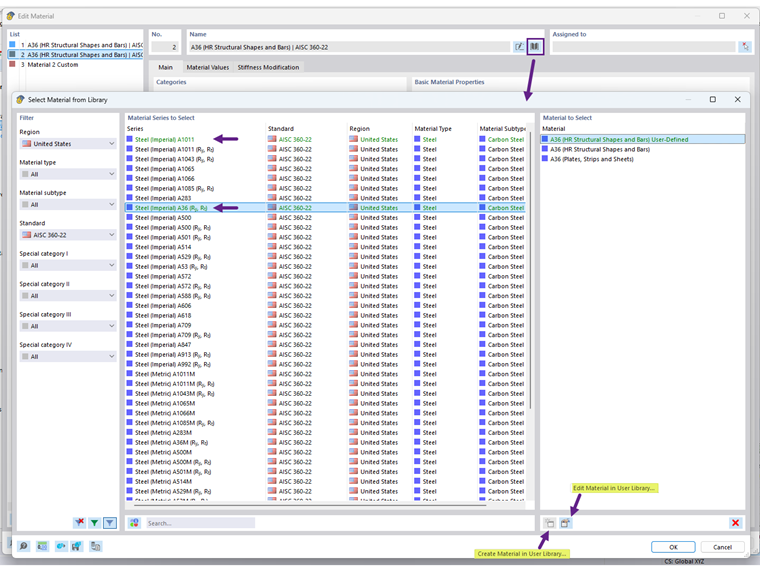
2) Directly in the Library: Open the material library and use the ‘Create Material in User Library’ option (Image 2).
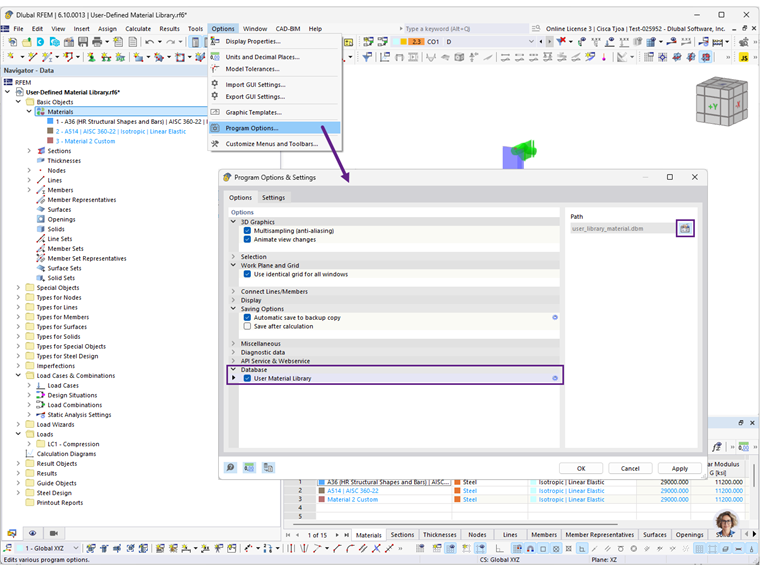
Once saved, your user-defined materials will be available for use in other models.
The location of the user material library database can be adjusted under Program Options (Image 3).