Answer:
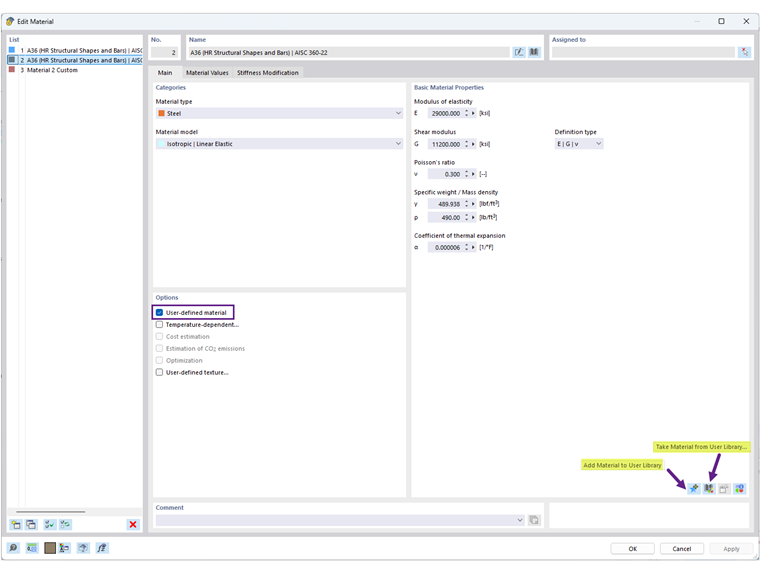
To save a user-defined material in RFEM 6, you have two options:
- From the Material Dialog: Edit an existing material or create a new one, then click the "Add Material to User Library" icon (Image 1).
- Directly in the Library: Open the Material library and use the "Create Material in User Library" option (Image 2).
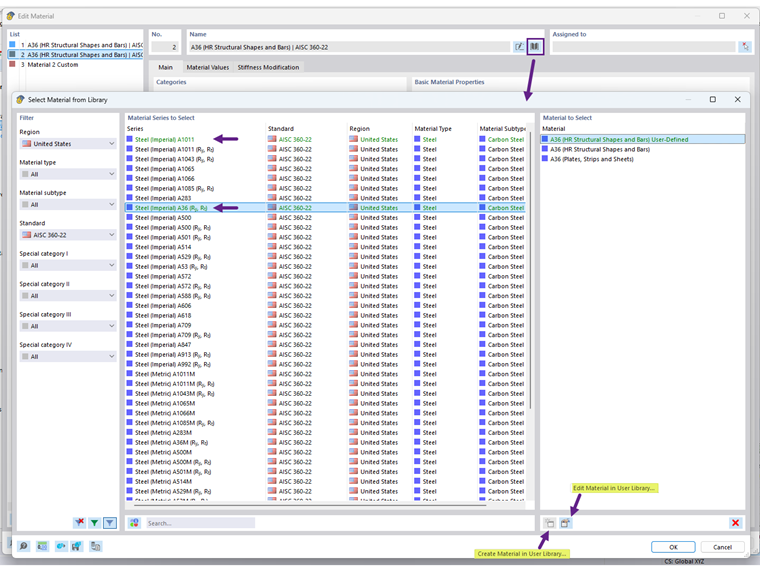
Once saved, your user-defined materials are shown in green and will be available for use in other models.
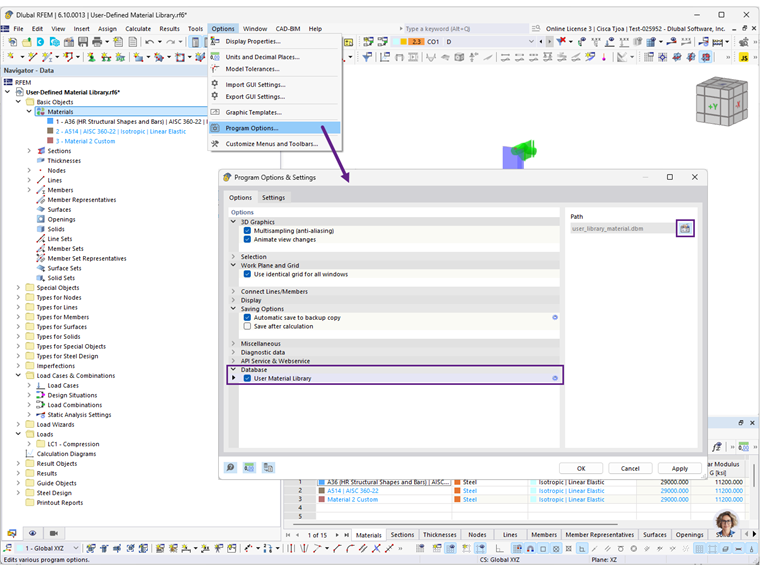
The location of the user material library database can be found under "Program Options". You can also share the DBM file with another user for use on a different computer. The recipient should save the DBM file in the folder specified by the path setting (Image 3).