Answer:
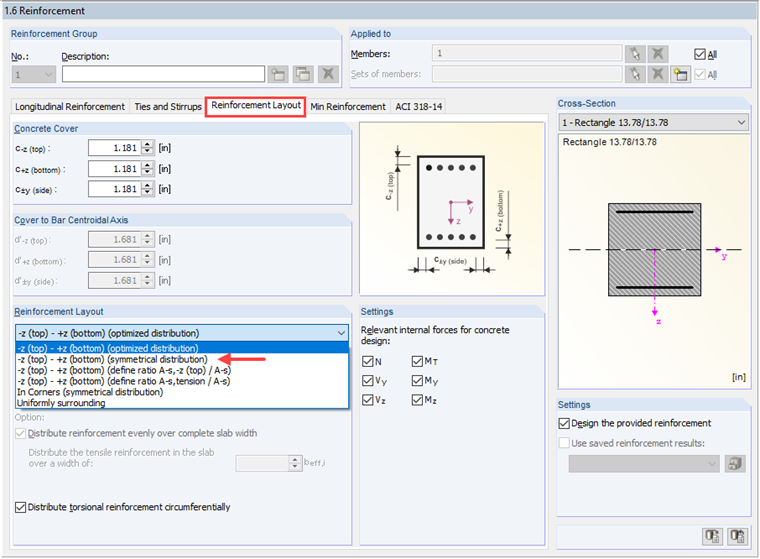
In RF-CONCRETE Members or CONCRETE, you will find this setting in Window "1.6 Reinforcement" in the "Reinforcement Layout" tab: you can select the desired option under "Reinforcement Layout" (see the image).
Sign up for the Dlubal Extranet to get most of the software and have exclusive access to your personal data.
Sign up for the Dlubal Extranet to get most of the software and have exclusive access to your personal data.
Sign up for the Dlubal Extranet to get most of the software and have exclusive access to your personal data.
How can I design the top and bottom layers separately for a member with a rectangular cross-section?
In RF-CONCRETE Members or CONCRETE, you will find this setting in Window "1.6 Reinforcement" in the "Reinforcement Layout" tab: you can select the desired option under "Reinforcement Layout" (see the image).
Mr. Baumgärtel provides technical support for Dlubal Software customers.