Answer:
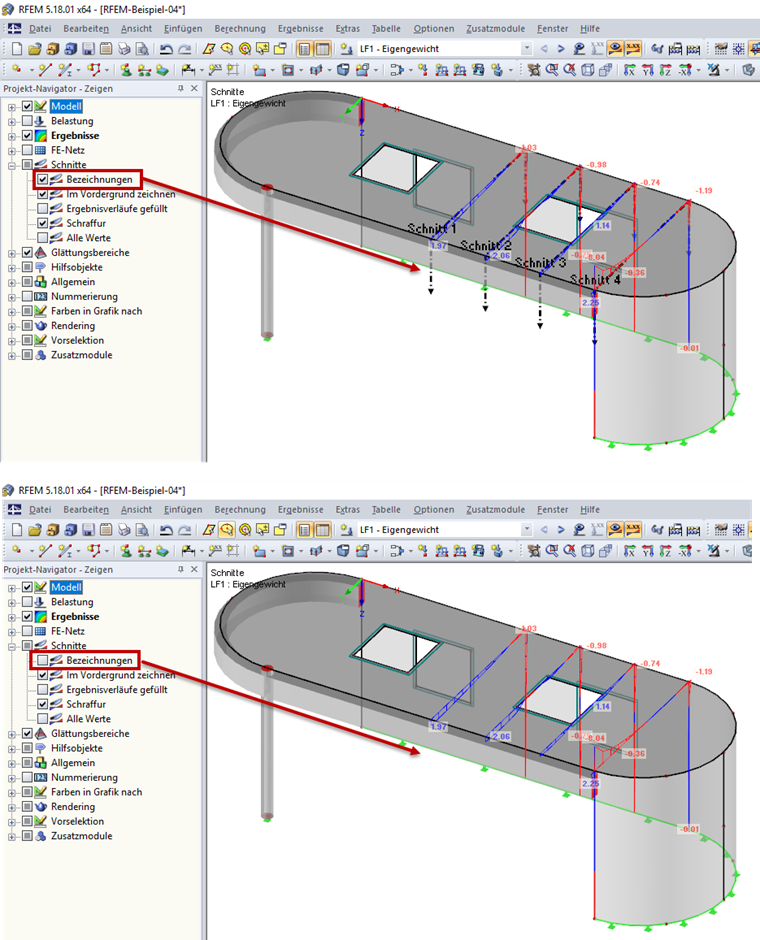
The description of all sections can be hidden in Project Navigator – Display by deactivating the Sections → Descriptions check box (see the image).
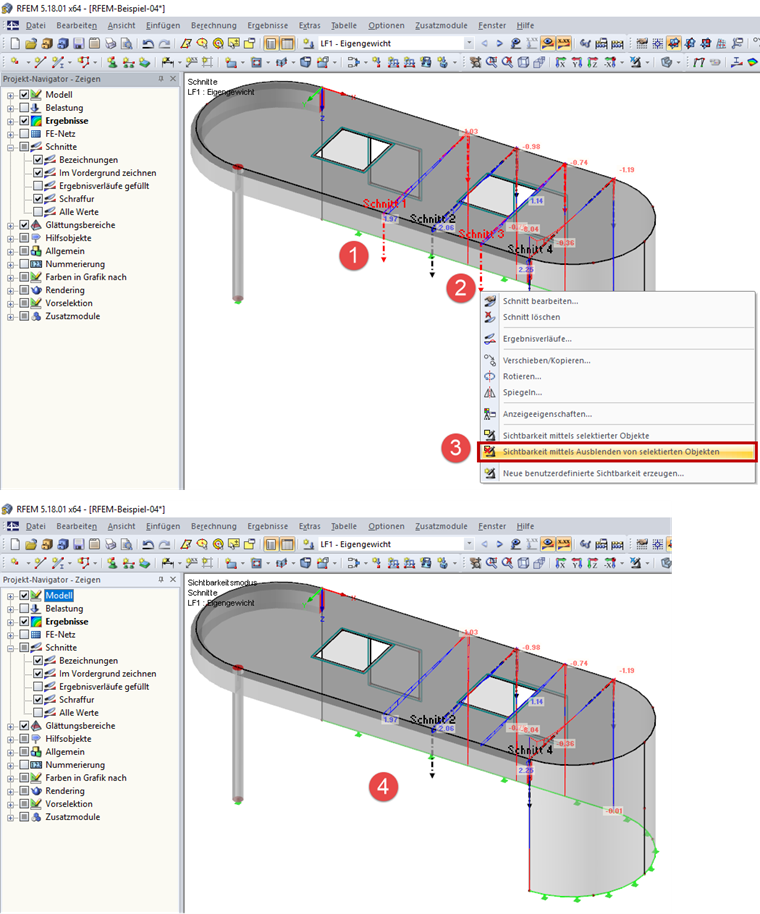
If you only want to hide the descriptions of the individual sections, select them first (see Step 1 and Step 2 in Image 02). Then, select the "Visibility by Hiding of Selected Objects" command (see Step 3 in Image 02).