Answer:
Use the Display navigator to graphically display the member end hinge descriptions.
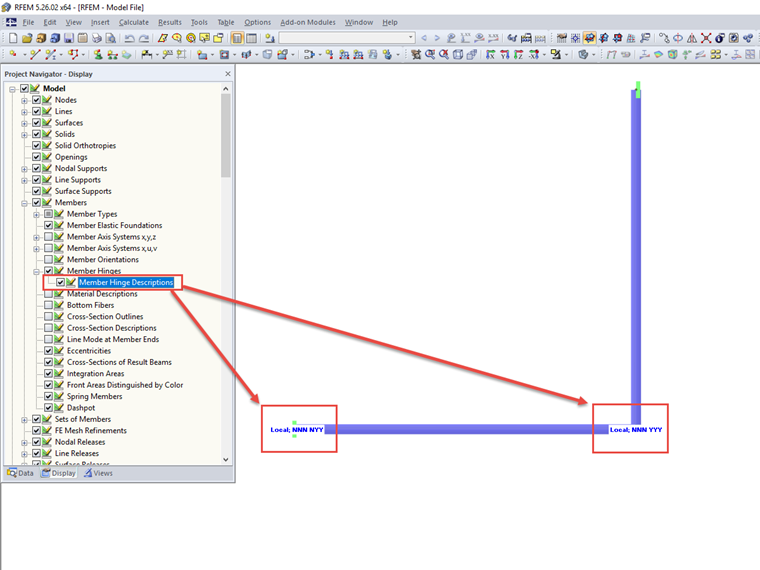
For this, activate "Members" → "Member Hinges" → "Member Hinge Descriptions"; see the image.
Sign up for the Dlubal Extranet to get most of the software and have exclusive access to your personal data.
Sign up for the Dlubal Extranet to get most of the software and have exclusive access to your personal data.
Sign up for the Dlubal Extranet to get most of the software and have exclusive access to your personal data.
Use the Display navigator to graphically display the member end hinge descriptions.
For this, activate "Members" → "Member Hinges" → "Member Hinge Descriptions"; see the image.
Mr. Ackermann is the contact person for sales inquiries.