


Answer:
In RFEM, RSTAB, or RSECTION, open the Help menu and select the System Information option.

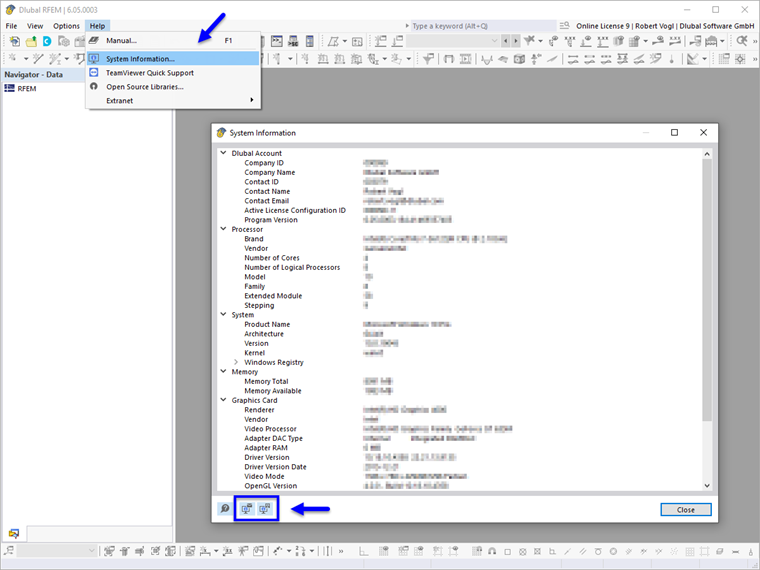
The program creates a diagnostic report, including the relevant system information. You can save this report by clicking the
 button or directly by email. As an alternative, you can save the system data in a file by clicking the
 button.